The short answer
If you need a website builder and want to spend as little as possible, here's where the builders we checked land in October 2026, based on each provider's own pricing page:
- Cheapest for a one-page site: Carrd, at $19 a year for the plan that allows your own domain.
- Cheapest free option: Google Sites, free with a Google account, with few design and SEO controls.
- Cheapest multi-page builder over several years: Hostinger Website Builder, if you pay for 48 months upfront, or WordPress.com on its yearly Personal plan.
- Cheapest first year among the big names: IONOS, with an intro price of $1 a month on its Plus plan, but it jumps to $20 a month after year one.
- Most popular, not cheapest: Wix, from $17 a month on yearly billing.
The cheapest builder on day one is often not the cheapest after three years. Renewal prices, domains and email add up, and the biggest cost is usually your own time. The rest of this page shows the numbers.
| What people type into Google | US searches per month |
|---|---|
| website builder cheap | 1,600 |
| cheap website builder | 1,300 |
| best cheap website builder | 320 |
| cheap website builder for small business | 170 |
| cheap and easy website builder | 50 |
| cheap website builder with domain | 40 |
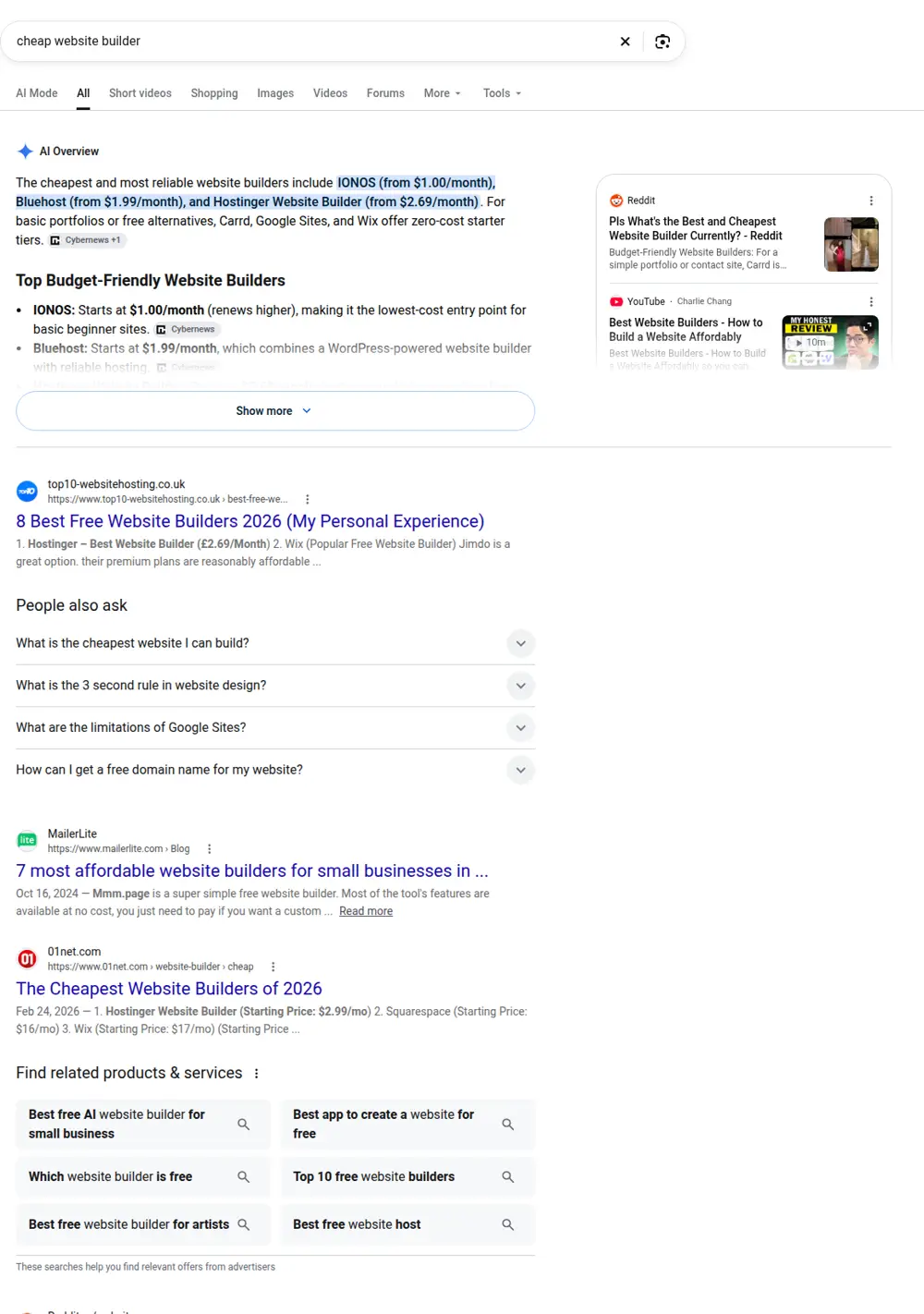
About 1,300 people a month search for "cheap website builder" in the US, and another 1,600 for "website builder cheap", per DataForSEO. Searches like "cheap website builder for small business", "cheap website builder and hosting" and "cheap website builder with domain" show what people care about most: a builder they can afford that includes the basics.
How we compared the builders
We looked at builders that small businesses and individuals actually use to make general websites: service businesses, portfolios, clubs, local shops and side projects. We left out builders that focus mainly on online stores, since that's a different buying decision with transaction fees and inventory tools.
For each builder we checked:
- Entry price on the provider's own pricing page, in US dollars.
- Renewal price, where the provider shows one.
- Whether you can use your own domain on the cheapest paid plan.
- Page and feature limits that matter for a small site.
- An approximate three-year plan cost, so you can compare offers that bill differently.
Prices change often and many builders run promotions. Treat the numbers below as a snapshot from October 2026, and always check the checkout page before you pay. Prices don't include taxes.
Cheap website builder prices at a glance
| Builder | Free plan | Cheapest plan with your own domain | Billing basis | Renewal or later price |
|---|---|---|---|---|
| Google Sites | Yes | Free (domain bought separately) | Free | Free |
| Carrd | Yes | Pro Standard, $19 a year | Yearly | Same yearly price shown |
| WordPress.com | Yes | Personal, $4 a month | Billed yearly | Renews at $5 a month |
| Hostinger Website Builder | 14-day trial | Premium, $2.49 a month | 48 months paid upfront | Renews at $10.99 a month |
| IONOS Website Builder | No | Plus, $1 a month | First year | Then $20 a month |
| Weebly | Yes | Personal, $13 a month | Billed yearly | $16 month to month |
| Webflow | Yes (Starter) | Basic, $15 a month | Billed yearly | Not shown separately |
| Wix | Yes | Light, $17 a month | Billed yearly | Not shown separately |
| GoDaddy Website Builder | Yes | Plans listed "as low as $9.99" | Credit-based plans | Not shown on the page we checked |
"Billing basis" matters a lot. A price of $2.49 a month that requires paying for four years upfront isn't directly comparable to $17 a month billed for one year.
Three-year plan cost comparison
To compare builders that bill differently, we worked out roughly what each plan costs over three years, using the prices above. This covers the plan only. Domains, email and apps are extra where they're not included.
| Builder and plan | How we calculated it | Approx. three-year plan cost |
|---|---|---|
| Google Sites | Free | $0 |
| Carrd Pro Standard | $19 x 3 years | $57 |
| Hostinger Premium | $119.52 for a 48-month term | $119.52 (covers four years) |
| WordPress.com Personal | $4 x 12, then $5 x 24 | $168 |
| IONOS Starter | $6 x 12, then $14 x 24 | $408 |
| Weebly Personal | $13 x 36, yearly billing | $468 |
| IONOS Plus | $1 x 12, then $20 x 24 | $492 |
| Webflow Basic | $15 x 36, yearly billing | $540 |
| Wix Light | $17 x 36, yearly billing | $612 |
Two things stand out. First, the gap between the cheapest and the most popular builder is large: about $57 for Carrd versus about $612 for Wix over three years. Second, intro prices hide a lot. IONOS Plus looks like the cheapest deal for year one at $12, but over three years it costs more than Weebly.
Each cheap website builder in detail
Google Sites
Google Sites is free for anyone with a Google account. It's simple: you drag in text, images, maps and Google Docs or Calendar embeds. Sites look clean, work on phones and load quickly.
Good for: a quick information page, an internal team site, a club or a very simple business page that just needs hours, a phone number and a map.
Limits: few design choices, very limited SEO controls, no blog tools and little flexibility for service or area pages. You can connect a domain you own, but you'll buy the domain separately.
Cost in practice: $0 for the builder, plus about $10 to $20 a year if you want your own domain.
Carrd
Carrd builds one-page sites. It's popular for personal pages, landing pages and link-in-bio pages. The free plan publishes to a Carrd address with Carrd branding. On Carrd's own plan page, Pro Lite costs $9 a year and removes branding but doesn't allow custom domains. Pro Standard, at $19 a year, adds custom domains, forms, widgets and analytics. Pro Plus, at $49 a year, adds advanced forms, redirects and the option to download your site's files.
Good for: a single landing page, an event, a portfolio or a "coming soon" page.
Limits: everything lives on one page. That works for a simple offer, but it means you can't have separate pages for each service or area, which is how most local businesses get found in search.
Cost in practice: $19 a year plus your domain. The cheapest way to put a professional-looking page on your own domain.
WordPress.com
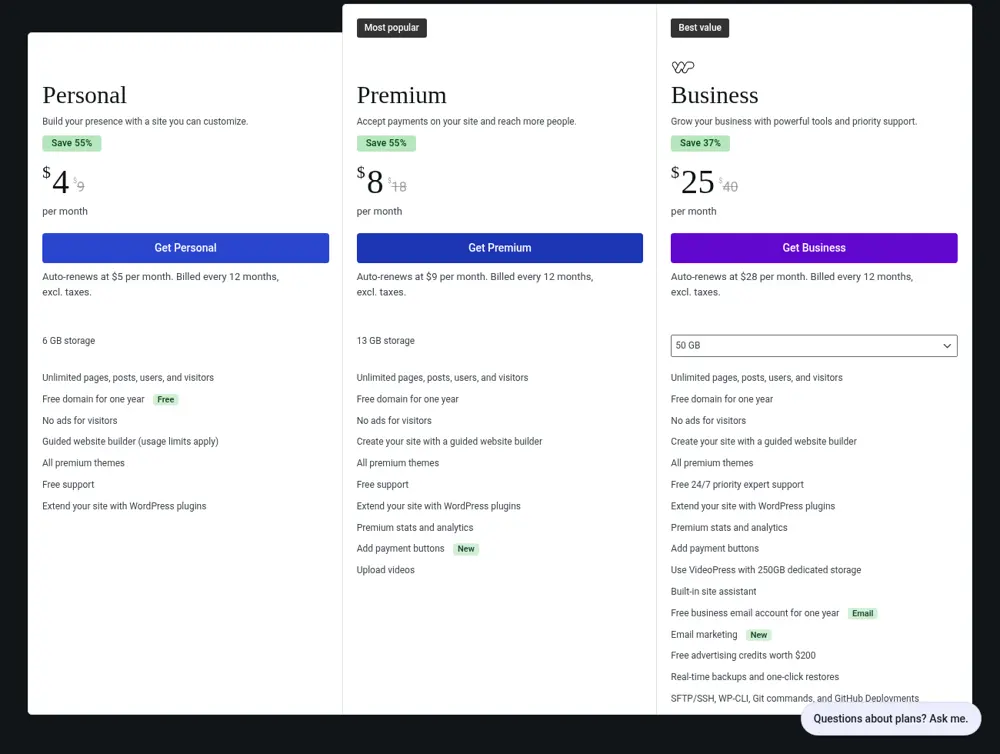
WordPress.com is the hosted version of WordPress. Its pricing page shows a free plan, Personal at $4 a month, Premium at $8 a month and Business at $25 a month when billed yearly, with higher month-to-month prices. Yearly plans renew at a higher monthly rate after the first year: Personal at $5, Premium at $9 and Business at $28 a month, billed every 12 months.
Good for: blogs, content-heavy sites and anyone who wants WordPress without managing hosting.
Limits: the editor takes longer to learn than drag-and-drop builders, and themes vary in quality and speed. Check which features each plan includes before you commit.
Cost in practice: about $48 for the first year on Personal, then about $60 a year. A very cheap multi-page option if you're comfortable with WordPress. Our WordPress website cost page covers the full picture, including self-hosted WordPress.
Hostinger Website Builder
Hostinger's builder page shows Premium at $2.49 a month when you pay for 48 months upfront ($119.52), renewing at $10.99 a month. Premium lets you create up to three websites and includes a custom domain and two mailboxes per site free for the first year. The Unlimited plan is $3.49 a month on the same 48-month term, renewing at $16.99 a month. There's a 14-day free trial, and Hostinger says all plans are paid upfront, with the monthly rate shown as the total divided by the months in the plan.
Good for: small business owners who want a multi-page site with hosting and email in one bill, and who are happy to commit for several years.
Limits: the low price depends on the long term. The domain and mailboxes are free for the first year only. After the term ends, the renewal price is more than four times the intro price.
Cost in practice: $119.52 upfront covers four years of the plan. Add domain renewal and email after year one.
IONOS Website Builder
IONOS advertises its builder "starting at $1 a month". On its page in October 2026, the Starter plan was $6 a month for the first year, then $14. The Plus plan was $1 a month for the first year, then $20. The Pro plan was listed at $12 to $17 a month for the first year. IONOS says domain, SSL and email are included, with one free domain for the first year.
Good for: someone who wants a cheap first year and is likely to reassess after twelve months.
Limits: the intro price is short. After year one, Plus costs twenty times as much per month. Plan your budget around the later price, not the first one.
Cost in practice: about $12 for the first year on Plus, then about $240 a year.
Weebly
Weebly, now part of Square, still offers a classic drag-and-drop builder. Its pricing page shows a free plan, Personal at $13 a month billed yearly ($16 month to month), Professional at $15 a month billed yearly ($20 month to month) and Performance at $32 a month billed yearly ($36 month to month). The Personal plan connects a custom domain.
Good for: simple brochure sites and owners who already use Square for payments.
Limits: some tools sit on the higher tiers, so check the features you need on each plan before you pick one.
Cost in practice: about $156 a year on Personal with yearly billing.
Webflow
Webflow is a professional design tool, more flexible than most builders but harder to learn. Its free Starter plan publishes to a webflow.io address, with 2 static pages and 50 form submissions. The Basic plan is $15 a month billed yearly and adds a custom domain, up to 300 static pages and unlimited form submissions. The Premium plan, at $25 a month billed yearly, adds Webflow's CMS for blogs and other repeated content.
Good for: designers, and owners who want full control over layout and are willing to learn.
Limits: the learning curve is steep for a first website. The free plan's two-page limit makes it a testing ground, not a business site.
Cost in practice: about $180 a year on Basic.
Wix
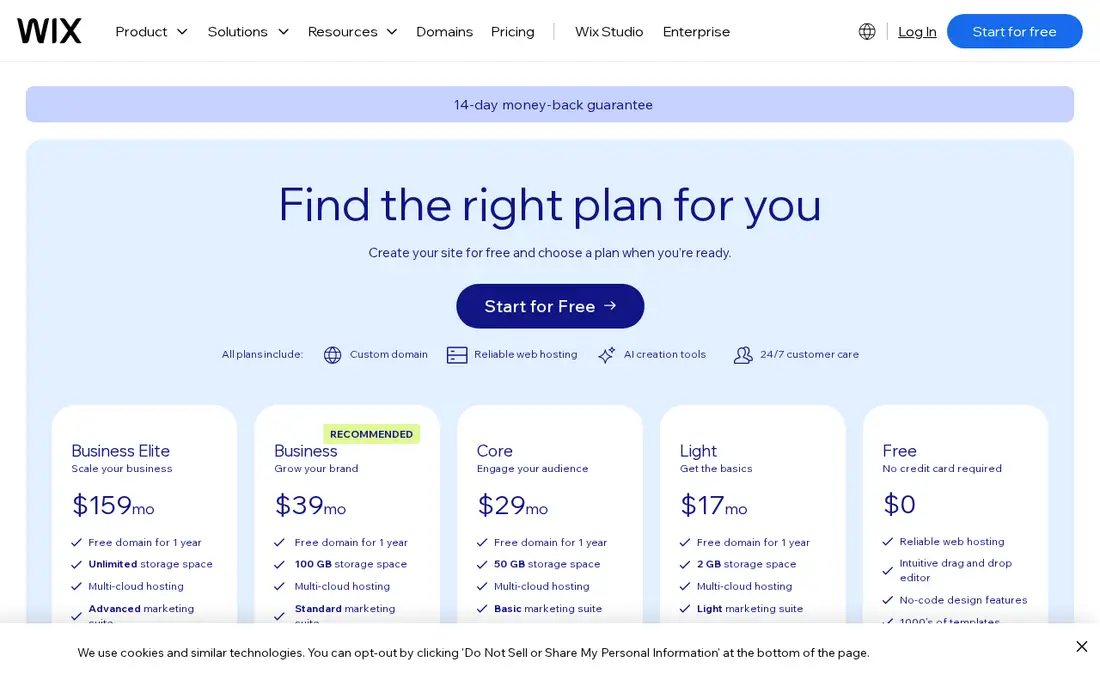
Wix is one of the best-known builders. Its plans page shows a free plan, then Light from about $17 a month, Core from about $29, Business from about $39 and Business Elite from about $159, all billed yearly. Most yearly plans include a free domain voucher for the first year. Wix also offers a 14-day money-back guarantee on the first upgrade.
Good for: owners who want lots of templates, an easy editor and built-in booking or payment tools on the higher plans.
Limits: it's not the cheapest, and moving a Wix site to another platform usually means rebuilding it. The free plan shows Wix ads and uses a Wix address.
Cost in practice: about $204 a year on Light before email and apps. Our Wix website cost page breaks down what a Wix site really costs per year.
GoDaddy Website Builder
GoDaddy's builder now centers on Airo, an AI tool that generates pages from a description. GoDaddy says you can start for free with 50 AI credits a month and no credit card. Its plans and pricing page lists the builder "as low as $9.99", and plans work on credits that reset each billing cycle. GoDaddy also sells a done-for-you design service with a one-time fee of $499.99 plus an annual hosting fee.
Good for: owners who already have their domain at GoDaddy and want a quick AI-generated starting point.
Limits: the credit system makes it harder to predict what you'll pay, so check the plan details at checkout.
Cost in practice: check the current plan price and billing period on GoDaddy's checkout page before comparing.
Free vs cheap: when is a free website builder enough?
Free website builders are tempting. "Free website builder" gets about 60,500 searches a month in the US, per DataForSEO, far more than any paid option. Free plans are fine for testing ideas, but they usually come with three limits:
- A builder address, like yourname.builder.com, instead of your own domain.
- Builder ads or branding on your pages.
- Feature limits, such as page caps, form limits or no SEO controls.
For a business, the builder address is the biggest problem. It looks less trustworthy to customers, and it makes your site hard to move later. If you're going to use a builder for a real business, budget for at least the cheapest plan that allows your own domain.
The exception is Google Sites, which is free and lets you connect a domain you already own. For a simple business card site, that's hard to beat on price.
The costs builders don't put in the headline
The plan price is only part of what you'll pay. These are the extras most small sites end up with.
| Cost | Typical amount | Notes |
|---|---|---|
| Domain name | About $10 to $20 a year | Often free for year one with a yearly plan |
| Email on your domain | About $6 per person per month | Google Workspace or Microsoft 365 |
| Apps or plugins | $0 to a few hundred a year | Forms, booking, reviews, SEO tools |
| Premium templates | Free to about $100 once | Many builders include free templates |
| Your time | 20 to 40 hours for a small business site | Planning, writing, photos, setup |
Email is the one people forget. A business with two people using Google Workspace pays about $144 a year for email alone, which can be more than the builder plan.
Renewal prices
Several builders advertise a low first-term price and a higher renewal price. In our comparison, renewals ran from about 25% higher (WordPress.com Personal) to twenty times higher (IONOS Plus). Before you sign up, find the renewal price and use that for your budget.
Your time
This is the biggest hidden cost. A small business site with a home page, a few service pages, an about page and a contact page usually takes 20 to 40 hours to do well, most of it writing. If your time is worth $50 an hour, that's $1,000 to $2,000 in time, far more than any builder plan.
Which cheap website builder fits your situation?
"I just need something online with my name, phone and hours"
Google Sites or Carrd Pro Standard. Both cost little or nothing and look clean on phones. Neither is built for ranking for many searches, but they're fine as a digital business card.
"I'm a local service business and want calls from Google"
You need several pages: one for each main service and, where it makes sense, one for each area you serve. One-page builders won't do this well. Look at WordPress.com, Hostinger, Weebly or Wix, and plan for the time to write each page. Or compare it with having the site built for a fixed price.
"I'm a freelancer or creative with a portfolio"
Carrd for a single page, Webflow if you want design control, or Wix if you want lots of templates. Portfolios depend on images, so check storage limits and image quality settings.
"I want to write a blog"
WordPress.com is built for this. Webflow's Premium plan adds a CMS for blogs too, at a higher price.
"I want the cheapest first year and I'll decide later"
IONOS Plus or Hostinger. Just know the price changes after the first term. Set a reminder a month before renewal.
Cheap website builders by type of business
The right builder also depends on what your customers need to do on the site.
Salons, spas and clinics need online booking. On Wix, scheduling and services start on the Core plan, about $29 a month billed yearly, according to its plans page. Other builders offer booking through add-ons or third-party tools, so check the cost of the booking tool, not just the plan.
Restaurants and cafes need a menu people can read on a phone, opening hours and directions. Any builder can do this. Put the menu in text on the page rather than as a PDF, because text loads faster and Google can read it.
Trades and home services need one page per service and per main area, plus a tap-to-call button. Pick a builder without tight page limits and plan the time to write those pages. That's where most of the value is, and it's the part builders can't do for you.
Consultants, coaches and freelancers often do well with fewer pages: a strong home page, a services page, an about page with a real photo and a way to book a call. Carrd works for a single page. A multi-page builder works if you want separate pages for each service.
Clubs, churches and community groups usually need events, news and contact details. Google Sites or a free plan can be enough, since search rankings matter less than keeping information current.
Cheap website builder for small business: what to check
If you're choosing a builder for a business, cheap is only one part of the decision. Before you commit, check these on the provider's site or in the free trial:
- Custom domain on the plan you'll actually buy.
- Page limits. Some free and entry plans cap the number of pages.
- SEO controls. Can you set a title and description for each page? Edit headings? Add image alt text?
- Mobile editing. Can you check and fix how pages look on a phone?
- Forms. How many submissions are included, and where do they go?
- Speed. Publish a test page and check it on your phone with weak signal.
- Exporting. If you leave, can you take your content with you?
- Support. Chat, email or phone, and in which hours.
SEO on cheap website builders
All the builders above let a page show up in Google. Whether it does depends far more on what's on the page than on the builder.
For local businesses, three things matter most:
- The right pages. One page per service and per main area people search for. A builder can't plan these for you.
- Clear titles and headings. "Water heater repair in Austin" tells Google and customers exactly what the page is about.
- A connected Google Business Profile with the same name, address and phone number as your site.
Cheap builders handle the technical basics, like mobile layouts and SSL. What they don't do is research which pages your business needs or write them in the words your customers use. That's where most of the time goes.
Moving off a builder later
Many owners start on a cheap builder and outgrow it. Moving is easier from some platforms than others:
- WordPress.com sites can be exported and moved to self-hosted WordPress.
- Webflow lets you export code on paid Workspace plans, though dynamic content needs separate handling and forms stop working.
- Carrd Pro Plus lets you download your site's files.
- Most other builders keep your design on their platform. You can copy your text and images, but the site usually has to be rebuilt elsewhere.
Whatever you use, register your domain in your own name and keep a copy of your text and photos. Those are the parts that are hard to recreate.
Cheap website builders with AI
Several builders now generate a first draft from a short description. Hostinger, GoDaddy, Wix, Webflow and IONOS all mention AI tools on their pages. They can save time on layout and give you starter text.
What AI builders can't do well yet is know your business. The starter text tends to be generic, like "We offer high-quality services tailored to your needs". You'll still need to rewrite it with your real services, prices, areas and proof. Treat AI drafts as a starting layout, not a finished site.
Money-back guarantees and free trials
Most builders let you try before you commit, but the terms differ. From the providers' own pages in October 2026:
- Wix offers a 14-day money-back guarantee on the first upgrade to a premium plan, and you can build on the free plan for as long as you like.
- Hostinger offers a 14-day free trial of its builder and advertises a 30-day money-back guarantee.
- Webflow lets you use its free Starter plan indefinitely, but only paid site plans publish to your own domain.
- GoDaddy says you can start for free with 50 AI credits a month, with no credit card.
- Google Sites and the free plans of Carrd, WordPress.com and Weebly have no time limit.
Use the trial to build one real page, like your main service page, and check it on your phone. That tells you more than any review.
Example budgets: three small sites over three years
To make the numbers concrete, here are three typical situations, using the plan prices above plus a domain at about $15 a year and email at about $6 per person per month where needed.
A one-page landing page for a side business. Carrd Pro Standard at $19 a year plus a $15 domain is $34 a year, or about $102 over three years. No email. Your time: a weekend.
A five-page site for a solo cleaner. WordPress.com Personal at about $48 the first year and $60 a year after, plus email for one person at about $72 a year and a domain at about $15 a year. Over three years that's roughly $168 for the plan, $216 for email and $45 for the domain, so about $429. Your time: 20 hours or more.
A ten-page site for a two-person electrician business. Wix Light at $204 a year plus email for two at about $144 a year. Domain free for year one, then about $15. Over three years: about $612 for the plan, $432 for email and $30 for the domain, so about $1,074. Your time: 30 to 40 hours.
For the last example, a site built for you with ten pages would cost $404 with us (the $299 base plus seven extra pages at $15 each), plus hosting, domain and email. The running costs are similar either way. The difference is who spends the 30 to 40 hours.
Domains on cheap builders
Many builder plans include a free domain for the first year. That's useful, but check two things:
- The renewal price. After the free year, you'll pay the registrar's normal rate, usually about $10 to $20 a year for a .com.
- Who the domain is registered to. It should be in your name, with your email, so you can move it later.
Wix notes that its free domain voucher only applies to a new domain bought through Wix, can't be used to renew a domain you already own and is redeemable within 60 days of purchase. Other builders have similar rules, so read the small print before you count on the free domain.
If you already own a domain, every builder on this page lets you connect it on paid plans, and Google Sites lets you use one for free.
Email on cheap builders
Builders rarely include unlimited email. A few include mailboxes for a limited time: Hostinger's Premium plan lists two mailboxes per website free for one year, and IONOS includes one professional email account on its builder plans. Wix sells Google Workspace as a separate subscription.
For most businesses, a Google Workspace or Microsoft 365 account at about $6 per person per month is the reliable choice. It works no matter which builder you use, and it stays put if you change builders later.
What happens if you stop paying
This matters more than people think. If you cancel a paid builder plan, the site usually goes offline or drops back to the free plan with a builder address and ads. Your content may stay in your account for a while, but it won't be on your domain.
Before you pick a builder, check:
- Does the site stay online on a free plan if you cancel?
- Can you download your text and images?
- Can you export the site to another platform?
- What happens to the domain if it was free with the plan?
Keeping your own copy of your text and photos, and owning your domain separately, protects you whichever builder you choose.
Speed and mobile on cheap builders
All the builders here produce sites that adapt to phones. That doesn't mean every site built on them is fast. Speed depends on what you add:
- Large images. Resize photos before uploading. A photo straight from a phone can be several megabytes.
- Video backgrounds. They look nice and slow everything down on mobile data.
- Too many apps or widgets. Each chat box, review widget or popup adds loading time.
- Fancy animations. Effects that slide content in as you scroll can delay what people came for.
A good test: open your site on your phone with Wi-Fi turned off. If it takes more than a couple of seconds to show your headline and phone number, trim something.
Accessibility basics on any builder
Accessible sites are easier for everyone to use, and they're easier for search engines to understand. Whatever builder you pick, do these:
- Add descriptive alt text to every image that carries meaning.
- Use real headings in order, not just bold text.
- Keep text large enough to read on a phone and with strong contrast.
- Make buttons and links say what they do, like "Call now" or "See prices".
- Don't put important information only inside images.
Cheap website builder vs cheap hosting with WordPress
Some people skip builders and buy cheap web hosting, then install WordPress themselves. It can cost about the same as a builder, sometimes less, and it gives you more control.
| Cheap website builder | Cheap hosting plus WordPress | |
|---|---|---|
| Setup | Sign up and start editing | Install WordPress, pick a theme, add plugins |
| Updates | Handled by the builder | You update WordPress, the theme and plugins |
| Security | Handled by the builder | Partly your job: updates, backups, security plugin |
| Flexibility | Limited to the builder's tools | Almost anything, with the right plugins |
| Moving later | Often means rebuilding | Your files and database can move to any host |
| Typical cost | About $0 to $40 a month | A few dollars to about $30 a month, plus paid plugins |
If you're comfortable with a bit of technical work, hosting plus WordPress is the most flexible cheap option. If you want something that just works, a builder is simpler. Either way, the content takes the most time.
How to pick a template on a cheap builder
Templates make a builder feel easy, but the wrong one can slow you down. Look for:
- A layout that fits your content. A service business needs space for services, areas, reviews and a call button. A photography template with a full-screen gallery won't fit.
- A clear header with room for your phone number.
- Simple sections you can reuse for each service page.
- Light pages. Avoid templates that rely on video backgrounds and heavy animation.
- Readable fonts at phone sizes.
Ignore the demo photos and sample text. Picture the template with your own photos and your own words, because that's what customers will see.
Mistakes people make with cheap website builders
We see the same problems on many builder sites:
- Publishing with the template's sample text still on some pages.
- Keeping the builder address instead of connecting a domain.
- One long page for everything, so nothing matches specific searches.
- No page titles or descriptions, which leaves Google to guess.
- Huge images that make the site slow on phones.
- Forgetting the renewal date, then paying the higher price without noticing.
- Never updating it. Hours, prices and services change, and old information costs trust.
All of these are easy to fix and none of them depend on which builder you chose.
Questions to ask before you pay for any builder
- What is the price after the first term, and when does it start?
- Does the cheapest plan allow my own domain?
- Are there page, storage or form limits on that plan?
- Is email included, and for how long?
- Can I set titles and descriptions for every page?
- What happens to my site if I cancel?
- Can I export my content?
- How do I contact support, and when?
If you can't find an answer on the provider's site, ask their support before you buy. How quickly and clearly they answer is a good preview of what support will be like later.
Builder vs having your site built
A builder is the cheapest option in cash. Having someone build the site is often the cheapest option once you count your time and what the site brings in.
| Cheap website builder | SiteCostly | |
|---|---|---|
| Upfront cost | $0 | $299 to $630, fixed |
| Plan or hosting | About $0 to $240 a year, depending on builder | Hosting, domain and email, usually $100 to $500 a year |
| Who plans the pages | You | We plan them from real Google searches in your area |
| Who writes the text | You | We do |
| SEO setup | You | We do, including Google Business Profile |
| Your time | Often 20 to 40 hours | About an hour to send details and review the draft |
| Time to launch | Depends on your schedule | About one to two weeks |
Our price is $299 for the home, about and contact pages, plus $15 for each extra service or city page, never more than $630. The calculator shows your page plan and price before we ask for an email. If you'd rather talk first, book a free 30-minute call.
If you're still deciding between doing it yourself and hiring, our small business web design guide explains which pages and features a business site needs, and our cheap web design page covers what low-cost done-for-you sites include.
A simple plan if you build it yourself
If you go the builder route, this order saves the most time:
- List your services and areas. Write one line for each service you want customers to find, and each town you work in.
- Check what people search. Type each service and town into Google and note the phrases it suggests.
- Gather your material. Logo, photos of real work and team, licenses, reviews and prices or price ranges.
- Pick the builder. Use the comparison above and your own needs. Start the free plan or trial.
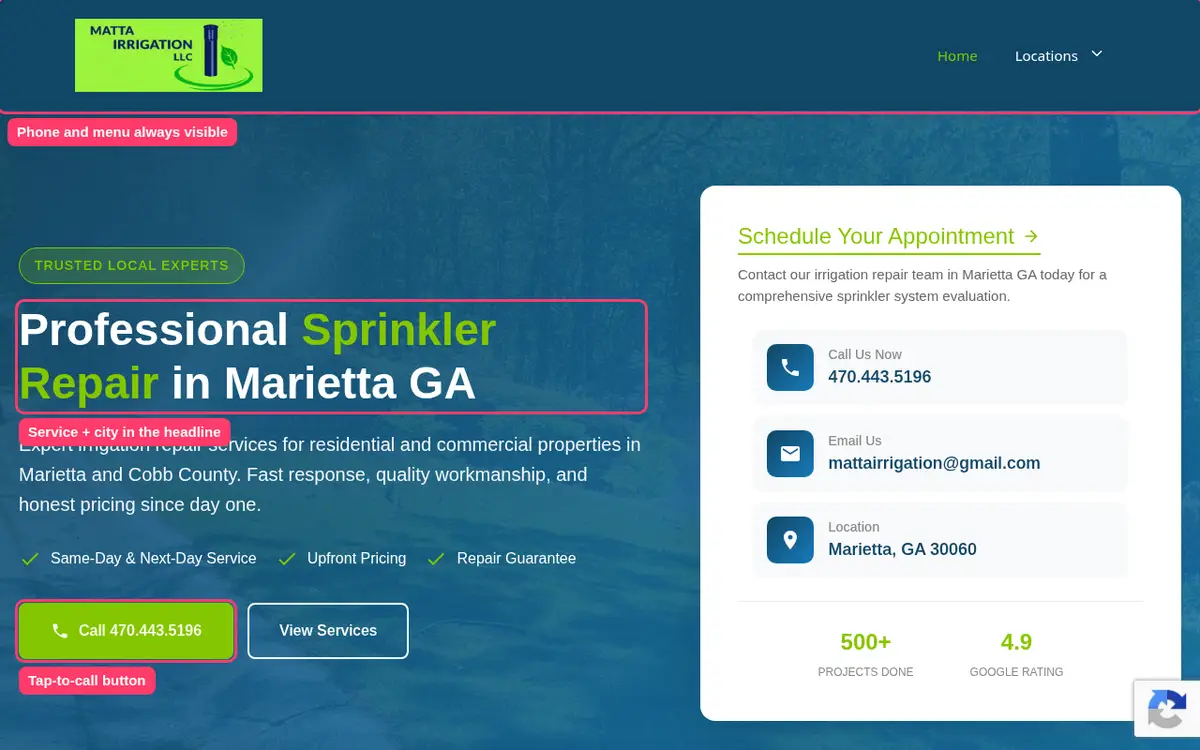
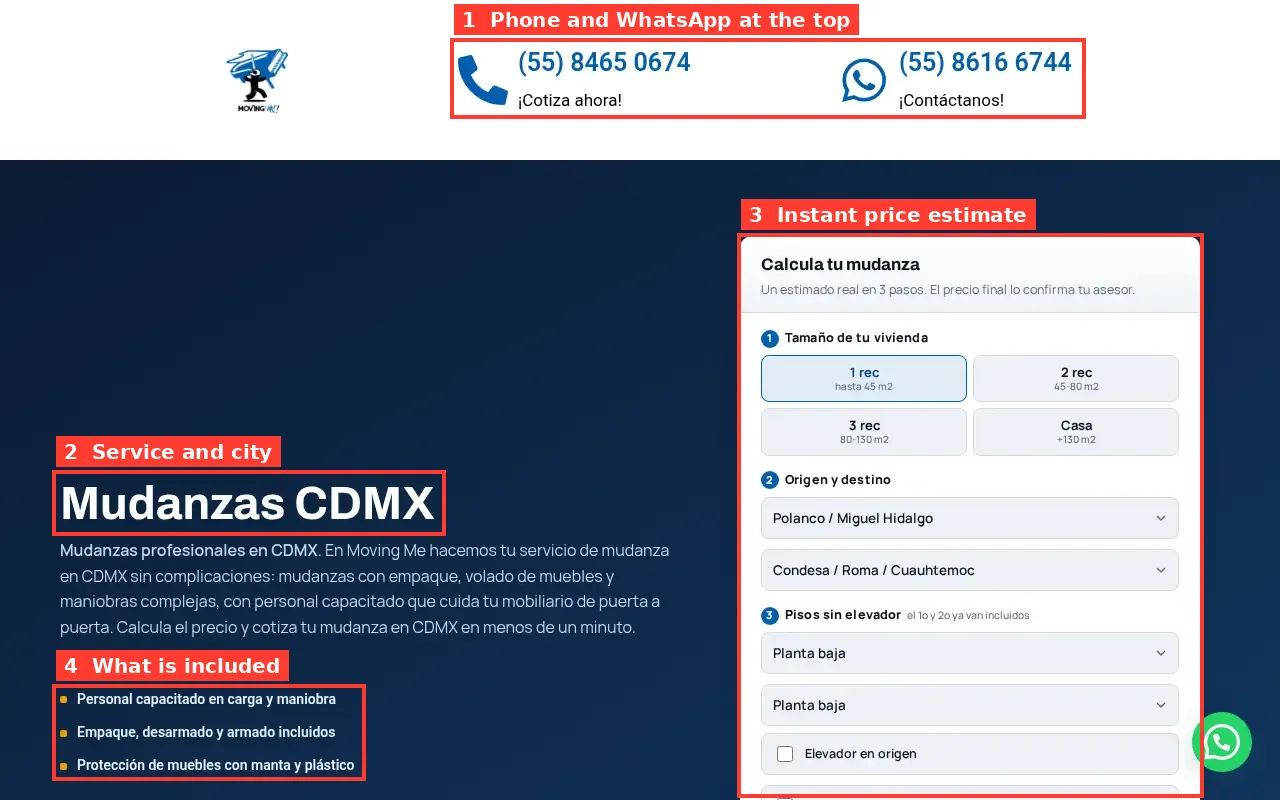
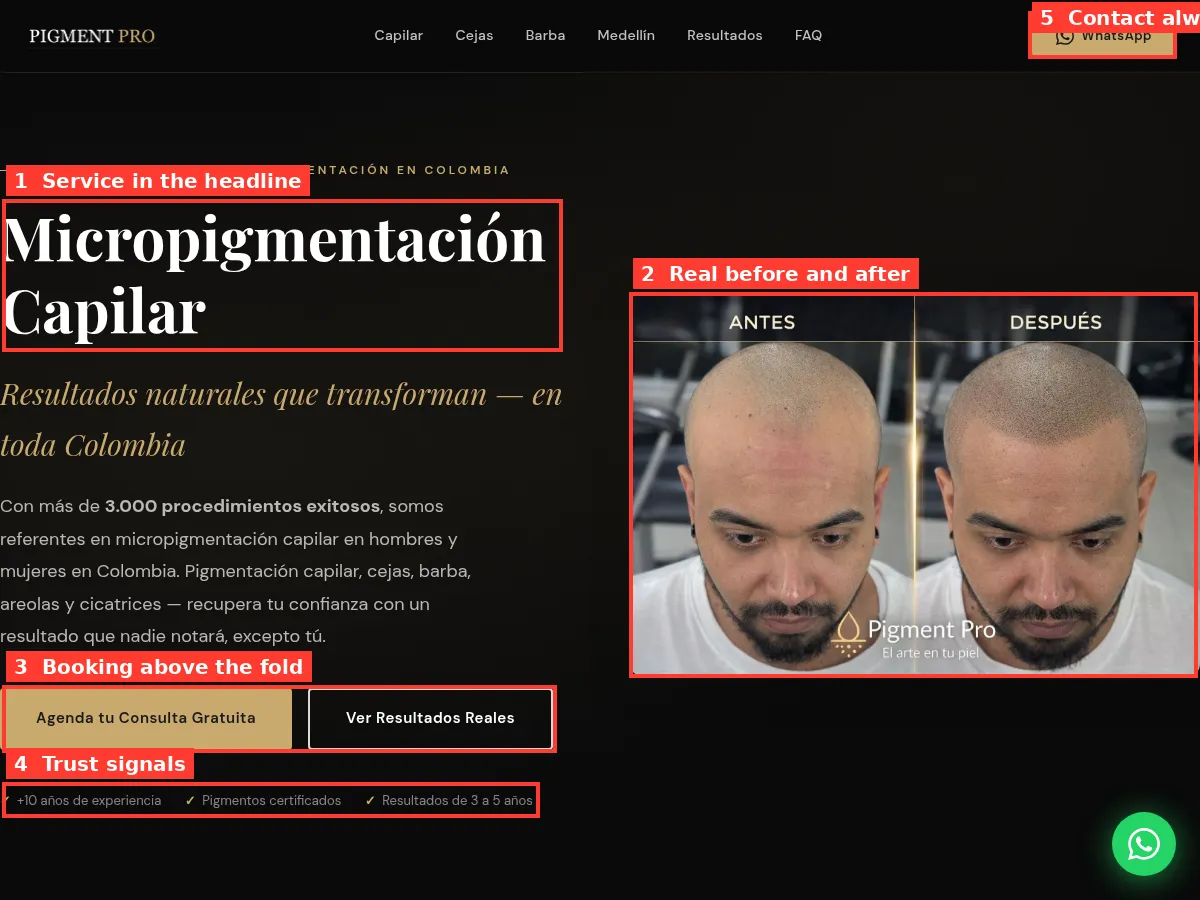
- Write the home page first. Service and area in the headline, phone number at the top, one button.
- Write one page per service. What it is, what's included, rough cost, how to book.
- Add area pages only where you work and people search.
- Set titles and descriptions for every page.
- Connect your domain and your Google Business Profile.
- Check everything on your phone before you tell anyone about it.
Where these prices come from
Every price on this page comes from the provider's own website, checked in October 2026, in US dollars and before tax:
- Wix: wix.com/plans, yearly billing.
- WordPress.com: wordpress.com/pricing, yearly billing with the renewal prices shown under each plan.
- Hostinger: hostinger.com/website-builder, 48-month terms with the renewal price listed under each plan.
- IONOS: ionos.com/websites/website-builder, first-year prices with the later monthly price.
- Weebly: weebly.com/pricing, yearly and month-to-month prices.
- Webflow: webflow.com/pricing, site plans billed yearly.
- Carrd: Carrd's Pro plans documentation, yearly prices.
- GoDaddy: godaddy.com plans and pricing page.
We didn't include prices from review sites or affiliate lists, because they're often out of date or based on promotions that have ended. If you see a lower price at checkout, it's probably a promotion, so check what it renews at. If you see a higher one, the provider may have changed its prices since we checked.
We aren't paid by any of these builders, and there are no affiliate links on this page. We build websites for small businesses, so we do have a point of view: for a business that needs calls from Google, the planning and writing matter more than the builder.
Our take
There isn't one cheapest website builder. It depends on what you're building and how long you'll keep it:
- For a one-page site on your own domain, Carrd is hard to beat at $19 a year.
- For a free site, Google Sites is the simplest.
- For a cheap multi-page site over several years, Hostinger's long term or WordPress.com's yearly plan cost the least of the builders we checked.
- Wix and Webflow cost more but offer more templates or more design control.
- Intro prices from IONOS and others are real, but budget for the renewal.
And for a local business that needs calls, not just a web page, the biggest cost isn't the builder. It's the time to plan and write the pages that bring in customers. Run the calculator to see what having that done for you would cost.