How people look for a handyman
Nobody searches for "general repairs". They search for the job in front of them: "drywall repair near me", "TV mounting [city]", "fix sliding door", "install ceiling fan". Then they pick someone who looks reliable and available.
That's the biggest difference between a handyman website and most trade sites. The list of jobs is long, and each one is its own search.
"Handyman" plus a city name gets more than 1,000 searches a month in cities like Chicago, Austin, New York and Houston, per DataForSEO. Searches for specific jobs add many more.
| What people type into Google | US searches per month |
|---|---|
| handyman website | 1,300 |
| best handyman website | 110 |
| handyman website examples | 70 |
| handyman website design | 50 |
About 1,300 people a month search for "handyman website" or "website for handyman", per DataForSEO. Smaller searches like "best handyman website" and "handyman website examples" come from handymen comparing what works.
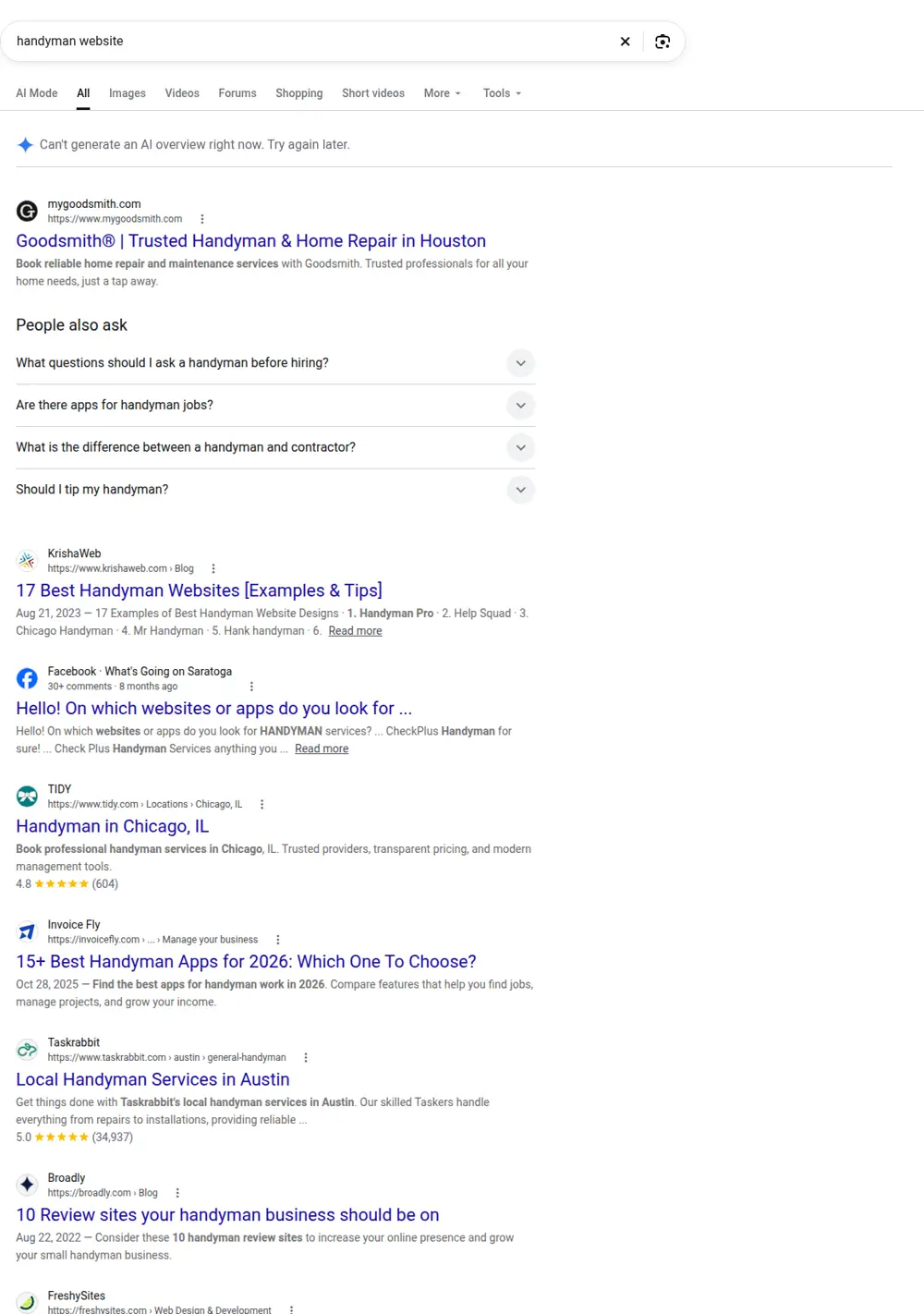
The top results include franchise brands, booking platforms like Thumbtack and TaskRabbit, and guides from software companies. Competing with the platforms for jobs is exactly why your own site matters: you keep the customer, and you don't pay a fee per lead.
Pages a handyman website needs
A page for each main job type. Group them sensibly: drywall and patching, carpentry and trim, doors and windows, mounting and assembly, minor plumbing, minor electrical where your license allows, painting touch-ups, gutters and exterior repairs. Each page should list the jobs in that group, what you need from the customer and how you charge.
A "what we don't do" note. If your state limits handyman work above a certain value or requires a license for plumbing or electrical, say so. Customers appreciate the honesty, and it filters out calls you can't take.
Pricing. Hourly rate, trip charge, minimum job size or flat prices for common jobs. Even ranges help people decide to call.
Service area. Towns and neighborhoods you cover, plus a page for each main one.
About. A real photo of you and your van, years of experience, insurance and any licenses.
Reviews. Handyman customers care about punctuality, tidiness and honesty. Reviews that mention those are gold.
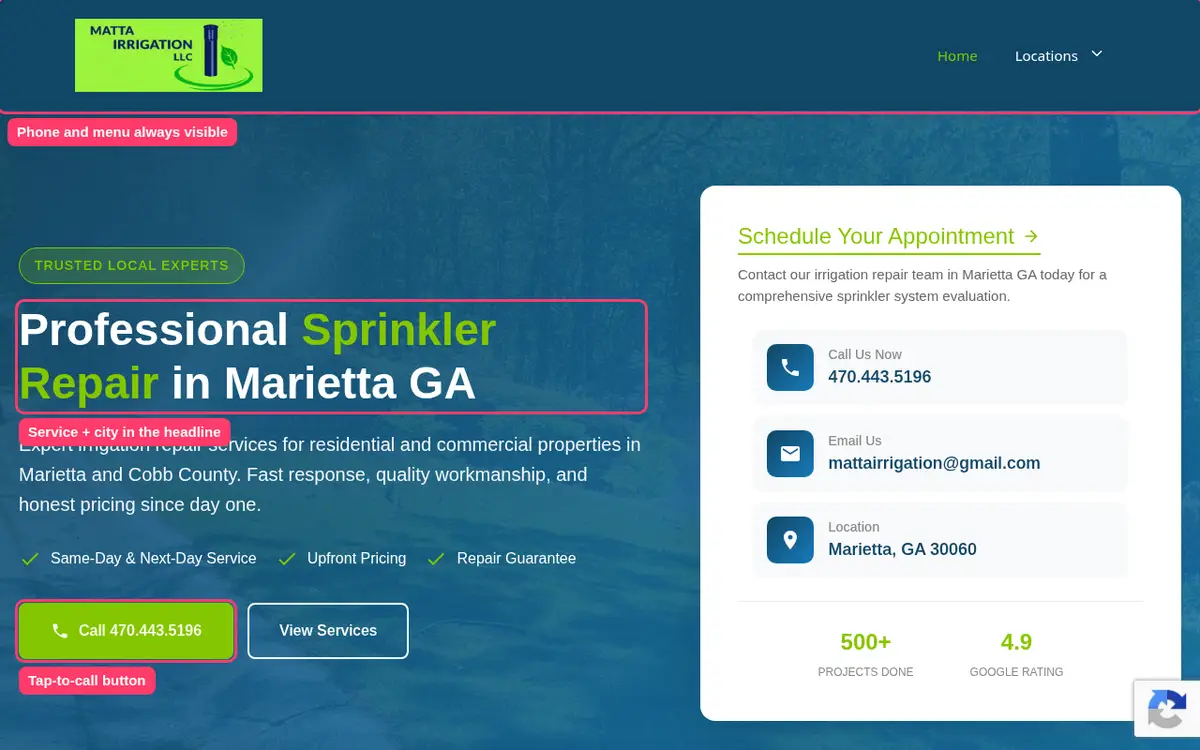
Best handyman website features
Looking at handyman website examples that bring steady calls, a few features show up every time:
- A phone number in the header that dials with one tap.
- A short form that asks for the job and lets people upload a photo.
- A clear list of jobs on the home page linking to each job page.
- Pricing or minimums visible without digging.
- Photos of real jobs, not stock.
- Hours and response time.
Licensing limits and honesty
Handyman rules vary a lot by state. Some states require a contractor license above a certain job value, and plumbing, electrical and HVAC work often need their own licenses. Check your state's current rules and write your site around them. A short note like "We handle small electrical jobs like swapping light fixtures. For new circuits we'll refer you to a licensed electrician" builds trust and avoids awkward calls.
Repeat customers and maintenance visits
Many handymen earn most of their income from repeat customers. Your website can encourage that:
- A page for seasonal maintenance visits: gutters, caulking, filter changes, smoke detector checks.
- A "honey-do list" option, where customers send a list and you quote a half day or full day.
- A page for older homeowners who want a trusted person for small jobs.
Property managers and real estate agents
Landlords, property managers and real estate agents need reliable handymen for turnovers, inspection repairs and quick fixes before a listing. A page aimed at them, explaining your response times, how you invoice and whether you can work in vacant properties, can bring steady work that fills the calendar between homeowner jobs.
Photos of real jobs
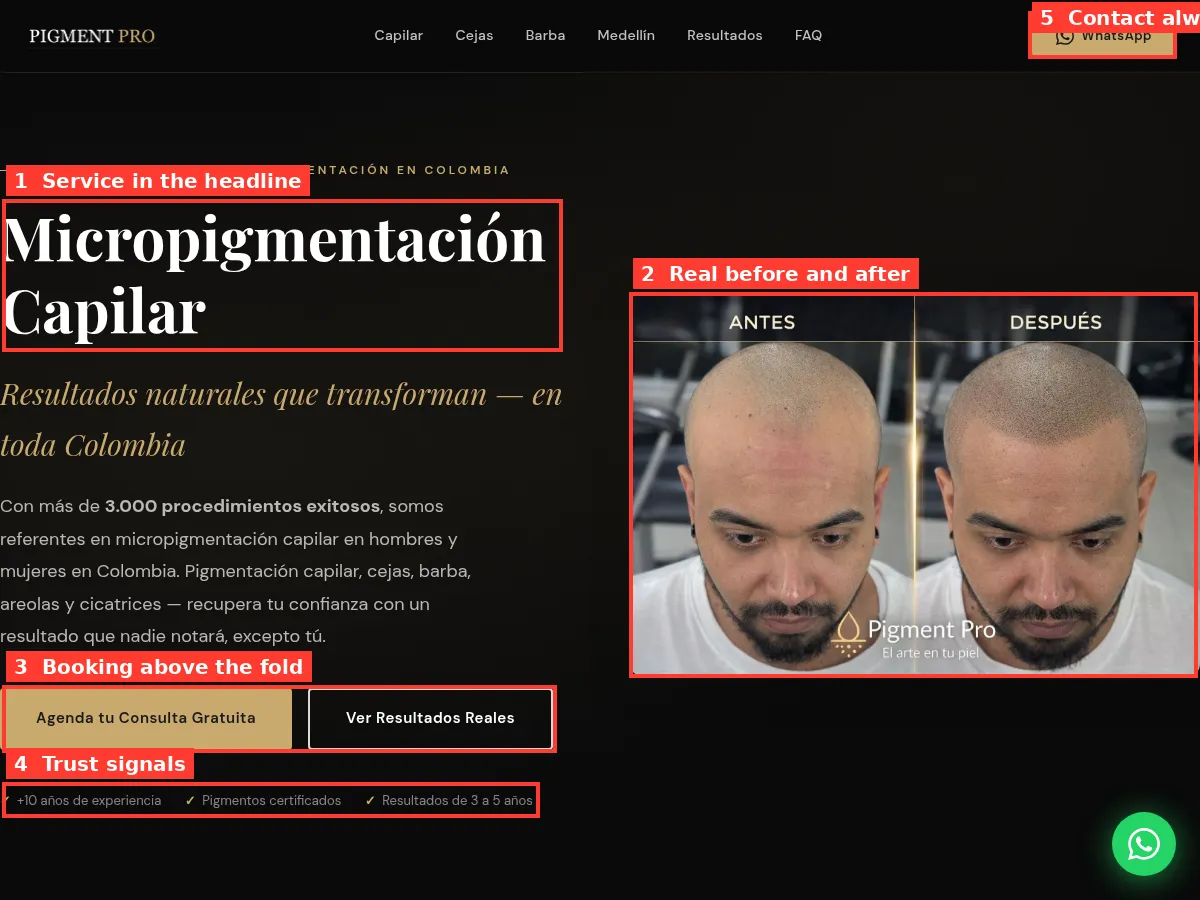
A before-and-after of a patched wall, a mounted TV with hidden cables or a fixed door tells customers more than any description. Take photos on every job and ask the customer before posting them. Keep them organized by job type so they can go on the right page.
Booking and scheduling
Handyman customers often want to book quickly, but jobs vary too much for fully automatic booking. A middle ground works well: a form where people describe the job, upload a photo and pick a preferred day or time window. You confirm by text or phone. Say on the site how fast you usually reply, and stick to it.
If you have a waitlist in busy months, say so honestly. "We're booking about two weeks out right now" is better than silence.
Small business and commercial jobs
Offices, shops and restaurants need handymen too: shelving, door closers, ceiling tiles, paint touch-ups, furniture assembly and small repairs between bigger projects. If you take this work, add a page for it. Mention after-hours availability, how you invoice businesses and whether you can provide an insurance certificate. Business clients often turn into regular accounts.
Insurance and safety
Customers worry about two things when they let someone into their home: damage and safety. Say clearly that you carry liability insurance, and mention any background checks or safety training. If you work on ladders or roofs, explain how you work safely. These small notes make customers more comfortable booking a stranger from the internet.
Photos of your work
You don't need a professional photographer. Take a before and after photo on your phone for every job worth showing, with good light and a tidy background. Add a one-line caption with the task and the town. After a few months, you'll have a gallery that shows the range of work you do.
Senior and accessibility jobs
Grab bars, ramps, railings and small changes that help older people stay safely at home are common handyman requests. If you do this work, a separate page helps adult children searching on behalf of their parents find you.
Handyman website mistakes
- A single page with a long bulleted list of jobs.
- No town names anywhere.
- No prices, no minimums, so people assume the worst.
- Hidden phone number or a form as the only option.
- Out-of-date availability notes.
Real Search Console data
This comes from a home service site we built. Traffic grows as each service page gets indexed and starts ranking.
How it works with us
The calculator checks what people in your area search for, job by job, and suggests the pages worth building. We check the plan, you tell us the jobs you want more of and the ones you don't take, and we write the site. You approve a draft, and we connect your Google Business Profile when it goes live.
Price
$299 base, $15 per extra page, $630 maximum. Eight job pages and three town pages costs $299 plus 11 x $15, or $464.