Wix website cost at a glance
Wix lets you build a site for free, but a free site shows Wix ads and uses a Wix web address. To use your own domain and remove the ads, you need a paid plan. Here are Wix's plan prices for yearly billing, as shown on the Wix pricing page:
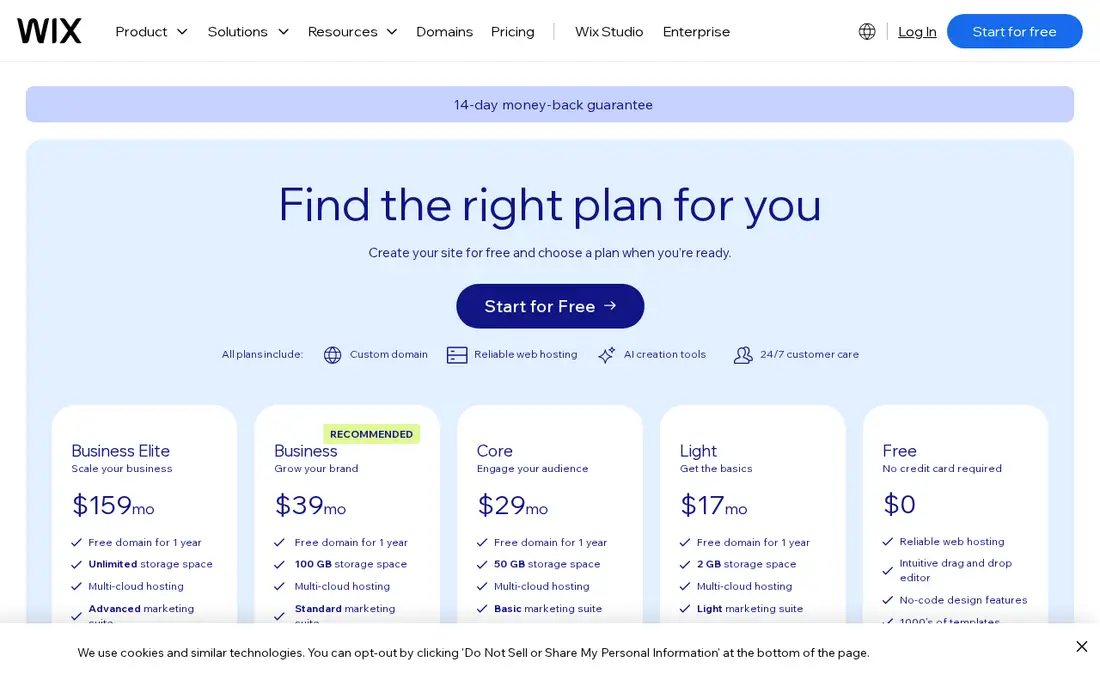
| Wix plan | Price per month, billed yearly | Who it suits |
|---|---|---|
| Free | $0 | Testing ideas, with Wix ads and a Wix address |
| Light | $17 | A simple site with your own domain |
| Core | $29 | Small businesses that want to accept payments or take bookings |
| Business | $39 | Businesses selling online or taking more bookings |
| Business Elite | $159 | Larger stores and businesses that need advanced features |
Wix says prices and currency vary by location and that taxes are added at checkout. Most yearly plans include a voucher for a free domain for the first year. Wix also offers a 14-day money-back guarantee on new premium plans.
| What people type into Google | US searches per month |
|---|---|
| wix website cost | 9,900 |
| wix plans | 1,900 |
| how much does wix cost | 1,600 |
| wix pricing | 390 |
| how much does a wix website cost | 260 |
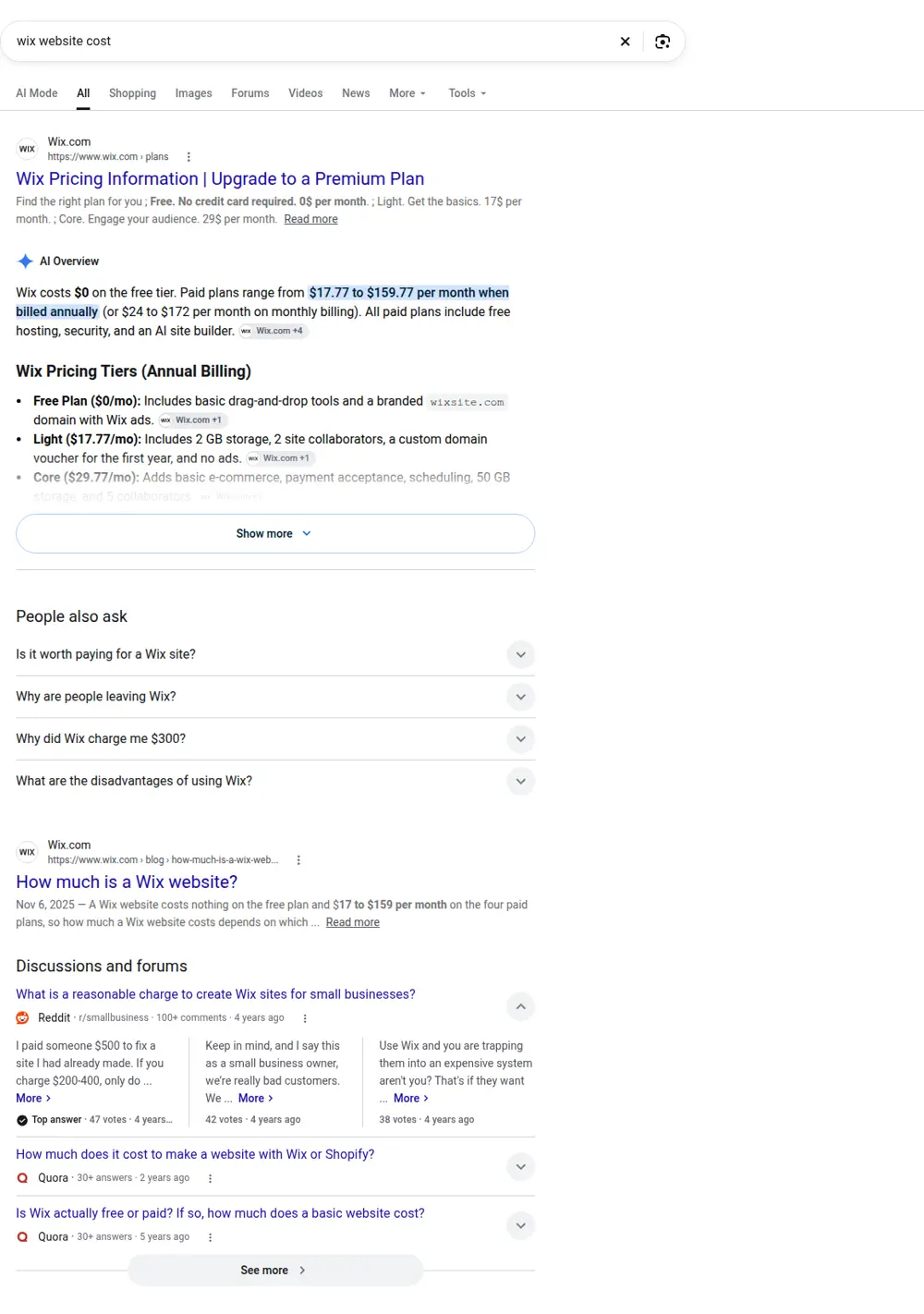
What ranks on Google for "wix website cost"
These are the top organic results for "wix website cost" when we checked in October 2026 with DataForSEO:
| # | Site | Page title | Type |
|---|---|---|---|
| 1 | wix.com | Wix Pricing Information - Upgrade to a Premium Plan | Guide or article |
| 2 | wix.com | How much is a Wix website? | Guide or article |
| 3 | support.wix.com | Choosing a Premium Plan - Help Center | Guide or article |
| 4 | websitebuilderexpert.com | Wix Prices 2026: Which Plan Should You Pay For? | Guide or article |
| 5 | litextension.com | Wix Pricing 2026: Plans, Costs & Hidden Fees Explained | Guide or article |
| 6 | pravaahconsulting.com | How Much Does a Wix Website Cost? | Guide or article |
Wix's own pages hold the top three spots for Wix pricing, followed by review sites and consultants. The official pages list plan prices; the reviews add hidden costs like domain renewals and apps, which is why we break those out above.
What a Wix site really costs in the first year
The plan is only part of the bill. Here's how a typical small business Wix site adds up in year one, using the Core plan as an example:
| Item | Typical first-year cost | Notes |
|---|---|---|
| Core plan, yearly | $29 x 12 = $348 | Before tax |
| Domain | $0 in year one | Free with most yearly plans, then a renewal fee |
| Business email | About $6 per person per month | Wix sells Google Workspace, which is billed separately |
| Apps | $0 to a few hundred a year | Some Wix apps and third-party apps charge monthly |
| Payment fees | A percentage of each sale | If you take payments or sell online |
| Your time | 20 to 60 hours | Planning, writing, photos and setup |
So a small business on Wix usually pays somewhere around $350 to $600 in year one for the plan, email and a few extras, before payment fees and before counting your time. Year two adds the domain renewal.
The cost most people forget: your time
Wix is easy to start, but a site that brings in customers takes real work:
- Deciding which pages you need and what goes on each one
- Writing every page so it reads well and matches what customers search for
- Taking or finding good photos and resizing them
- Setting page titles, descriptions and basic SEO settings
- Connecting your Google Business Profile and checking your details match
- Testing on phones
For most business owners that's several weekends. If your time is worth $50 an hour and the site takes 40 hours, that "cheap" site cost about $2,000 in time.
Wix plans compared for a service business
Light ($17 a month)
Enough for a basic brochure site with your own domain. Good if you just need to look legitimate online and most customers come from referrals.
Core ($29 a month)
The plan most small service businesses consider. It adds the ability to accept payments, basic ecommerce, and scheduling and services, which matters if you want customers to book online.
Business ($39 a month)
Adds more storage and more advanced selling features. Useful if you sell products or take a lot of bookings.
Business Elite ($159 a month)
For larger stores or businesses with heavy traffic and advanced needs. Most local service businesses won't need it.
Why people say Wix is expensive
People are often surprised by Wix costs for a few reasons:
- Monthly billing costs more than yearly. The prices above are for yearly plans.
- Renewals. The free domain is only for the first year, and introductory discounts may end.
- Add-ons. Email, apps and premium features each add a fee.
- Auto-renewal. Plans renew automatically, so a forgotten site keeps billing.
None of this is hidden, but it adds up.
Is it worth paying for a Wix site?
Wix is a good choice when:
- You enjoy building things yourself and have the time
- You need a simple site quickly
- You want everything, including hosting and security, in one place
It's a weaker choice when:
- You need to show up on Google against competitors with well-planned sites
- You don't have time to write and plan the pages properly
- You may want to move the site later, since you can't easily export a Wix site to another platform
Wix versus having a site built
| Wix, DIY | Built by SiteCostly | |
|---|---|---|
| Upfront cost | $0 | $299 to $630, fixed |
| Yearly cost | About $200 to $600 or more in plan and add-ons | Hosting, domain and email, usually $100 to $500 a year |
| Your time | 20 to 60 hours | 2 to 5 hours, mostly reviewing |
| Page plan | You decide | Planned from real Google searches for your trade and city |
| Writing | You write it | We write it, you review |
| Moving later | Hard to export | You own the site |
That chart is real Google Search Console data from one of our client sites, with the name hidden. It shows what a site planned around searches can do. A DIY site can get there too, but it takes knowing which pages to build.
Mistakes people make when budgeting for Wix
- Comparing monthly prices without checking the billing period.
- Forgetting the domain renewal after year one.
- Adding many apps and losing track of monthly fees.
- Ignoring their own time as a cost.
- Building pages nobody searches for, because there's no plan.
How to keep Wix costs down
- Pick the lowest plan that does what you need, and upgrade later
- Pay yearly if you're sure you'll keep the site
- Use free Wix apps where possible
- Set a calendar reminder before renewal
- Plan your pages before you start, so you don't redo work
What people ask about Wix costs
Searches from DataForSEO show where Wix budgets get confusing:
| Search | Searches a month |
|---|---|
| wix website cost | 9,900 |
| how much does wix cost | 1,600 |
| wix domain cost | 590 |
| wix hosting cost | 390 |
| wix premium plan cost | 390 |
| wix monthly cost | 320 |
Domain and hosting questions come up a lot. On Wix, hosting is part of every plan, so you don't pay for it separately. The domain is free for the first year with a yearly plan through Wix's voucher, then renews at Wix's domain price. You can also buy a domain elsewhere and connect it.
Monthly versus yearly on Wix
Wix's prices above are for yearly billing. Paying month to month costs more each month. If you're testing whether Wix suits you, the 14-day refund window on premium plans lets you try a plan and cancel for a refund within that period.
Switching plans later
You can upgrade a Wix plan later as your needs grow, for example from Light to Core if you start selling or need more features. Start with the plan you need now. Paying for Business Elite before you need its capacity is a common way to overspend on Wix.
Related costs
If you're comparing builders, see the WordPress website cost or our guide on website design pricing.