How people choose a home builder
Buyers spend months, sometimes years, deciding. They browse floor plans late at night, compare communities on weekends and send links to family. By the time they contact a builder, they've often looked at your website a dozen times.
That's why home builder website design is different from most trades. The site isn't just a way to get a call. It's where buyers do most of their research.
Searches for "home builders" plus a city name are strongest in fast-growing Texas metros like Houston, San Antonio, Austin and Dallas, per DataForSEO. That matches where new construction is busiest.
| What people type into Google | US searches per month |
|---|---|
| home builder website design | 140 |
| home builder website | 260 |
| custom home builder website | 50 |
| best home builder website | 40 |
About 260 people a month search for "home builder website" and 140 for "home builder website design", per DataForSEO. Some are builders looking for a designer. Others are buyers looking for a specific builder's site, which tells you how many people go straight to a builder's own website.
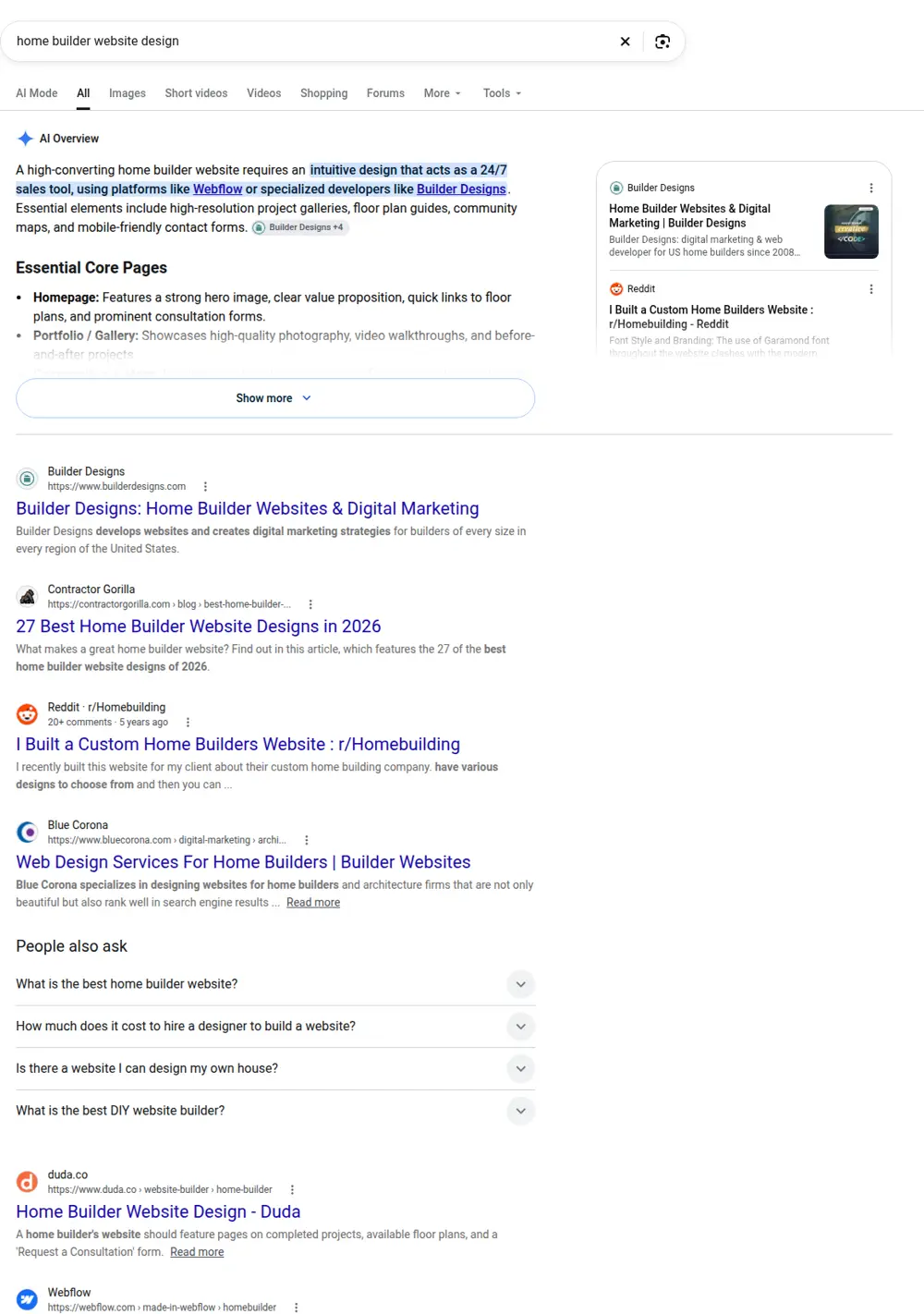
The top results are agencies that specialize in builder marketing, a few design galleries and forum threads from builders comparing options.
Custom home builder website or production builder website?
The two need different things.
Custom home builders sell a relationship and a process. Buyers want to see past homes, understand how design and pricing work, know how long it takes and trust the people. A custom home builder website leads with galleries, the build process and the team.
Production and semi-custom builders sell plans and places. Buyers want to filter floor plans, see communities on a map, check available homes and understand base prices and options. That calls for structured pages for each plan, community and quick move-in home.
Many builders do some of both. The structure below covers either.
Pages a home builder website needs
Floor plans
One page per plan, with square footage, bedrooms, bathrooms, stories, garage, base price if you share it, elevations and the floor plan image. Add a short description of who the plan suits and what makes it different. Plan pages rank for searches like "3 bedroom single story home plans [city]" and give buyers something concrete to share.
Communities
For each community: location, map, nearby schools and amenities, HOA details, lot sizes, which plans are available there and the price range. Driving directions to the model home help too.
Available and quick move-in homes
Buyers who need to move soon search for these specifically. Keep them on their own pages and update them as homes sell. A sold home left on the site wastes everyone's time.
Gallery
Real photos of finished homes, organized by style or room. Interior shots of kitchens and primary bathrooms get the most attention.
The building process
Step by step: choosing a lot, picking a plan, design selections, financing, permits, construction milestones, walkthroughs and closing. Add rough timelines. This page answers the questions your sales team hears every day.
Warranty and quality
Explain your warranty, inspections and the materials and brands you use. Buyers comparing builders read this closely.
Financing
Many buyers need help understanding construction loans or builder incentives. A plain-language page, plus links to preferred lenders if you work with them, helps.
About and team
Who you are, how long you've built, how many homes and where. Real photos of the owners and team.
Reviews
Reviews from homeowners, with their first names and, if they agree, photos of their home.
Home builder website design details that matter
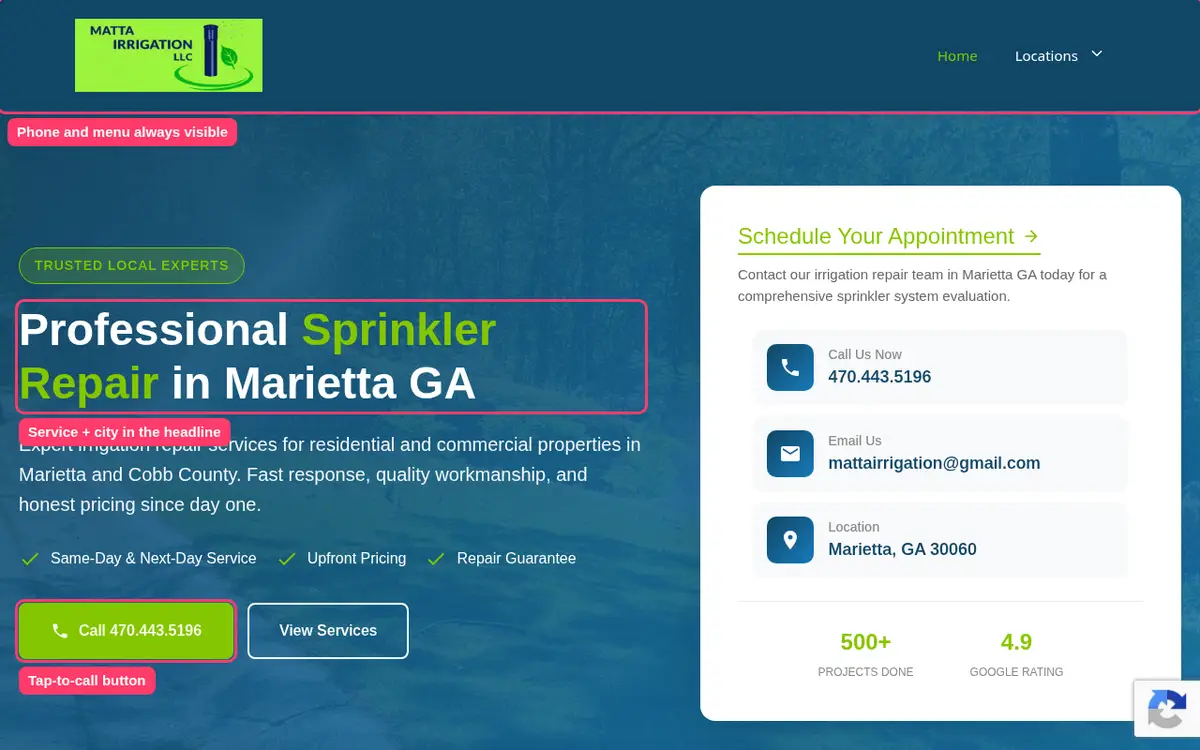
- Fast-loading galleries. Home photos are big. Compress them so pages load quickly on phones.
- Easy filtering. Let buyers sort plans by bedrooms, size and price.
- Clear calls to action. "Schedule a tour", "Request plan details" and "Talk to a new home consultant" are more useful than a generic "Contact us".
- Maps. Show where each community is, with commute times to major employers if that's a selling point.
- Up-to-date pricing. If you list prices, keep them current. Old prices create awkward conversations.
- Lead forms that ask the right questions. Timeline, preferred community, price range and whether they need to sell a current home.
Pages for lots, land and building on your lot
Many custom builders also build on land the buyer already owns, or help them find a lot. If you do, give it a page. Explain what you check before building on someone's land: soil, slope, utilities, setbacks, septic or sewer, HOA rules and access. Buyers who own land search for "build on my lot [city]" and often don't know where to start. A clear page puts you first in line.
If you sell lots in your own communities, list them with size, price, orientation and which plans fit. A simple lot map helps, even if it's just an image with numbers.
Model homes and tours
Model homes are where many buyers decide. Give each model its own section or page with the address, opening hours, a photo tour and a way to book a private visit. If you offer virtual tours or video walkthroughs, put them here and on the matching floor plan page.
Make booking a tour as easy as booking a restaurant. A short form with date, time and number of people, and a confirmation message that tells them who will meet them.
Design center and selections
Selections are one of the most stressful parts of building a home. A page that explains how your design center or selection process works makes buyers more confident:
- What's included as standard and what counts as an upgrade.
- When selections happen in the timeline.
- How upgrade pricing works.
- Which brands and materials you offer.
- Photos of real finished kitchens and bathrooms at different levels.
This page also cuts down repeat questions for your sales team.
Energy efficiency and building standards
Buyers increasingly ask about insulation, windows, HVAC efficiency and utility costs. If you build to a recognized program or certification, explain it in plain language and say what it means for monthly bills, without promising exact savings. If you include features like tankless water heaters, smart thermostats or solar-ready roofs, list them on each plan page.
How the website supports your sales team
A home builder website brings the most value when it works with your sales process:
- Every form goes to the right person. Tour requests to the community's sales consultant, warranty requests to the warranty team.
- Leads arrive with context. Which plan or community they were looking at, their timeline and price range.
- Fast replies. New home buyers contact several builders. The first one to answer often gets the appointment.
- Content sales can reuse. Plan pages, process pages and FAQs that consultants can link to in emails.
If you use a CRM, we can send form submissions to it by email so nothing gets lost.
Writing for buyers, not other builders
Builders sometimes write their sites in industry shorthand: "spec", "elevation", "CO", "punch list". Buyers may not know these terms. Use plain language and explain the terms you can't avoid. A short glossary page can help, and it often ranks for the exact questions first-time buyers type into Google.
Answering the cost question
"How much does it cost to build a home with you?" is the first question most buyers have, and many builder sites avoid it. You don't need a price list, but you can help:
- Show "starting from" prices on each floor plan, with the date they were last updated.
- Explain what's included in the base price and what usually adds cost: lot premiums, upgrades, site work, landscaping and fences.
- For custom builds, give a realistic range for the homes you typically build and explain what moves a project up or down.
- Say whether you can work with a buyer's budget and how early you give a firm number.
Buyers who see a range they can afford are far more likely to reach out. Those who can't afford it save you a sales meeting.
Timelines buyers can plan around
New home buyers often have a lease ending or a house to sell. Give them honest timelines:
| Stage | What happens |
|---|---|
| Contract and financing | Choosing a plan and lot, signing and getting loan approval |
| Design and selections | Picking finishes, fixtures and options |
| Permits | Plans submitted to the city or county |
| Construction | Foundation, framing, systems, finishes |
| Walkthroughs | Pre-drywall and final inspections with the buyer |
| Closing | Final paperwork and keys |
Add the typical length of each stage for your homes. If timelines vary by community or season, say so.
Showing progress after the sale
Some builders add a private page or regular email updates with photos of each home's progress. Even if that lives outside the website, mentioning it on your process page reassures buyers that they won't be left wondering what's happening on their lot.
Reviews and referrals
Most builders get a large share of business from referrals. Your website can make referrals stronger: a page of homeowner stories with photos, a referral program if you have one, and links to your Google reviews. When a friend recommends you, the website should confirm everything they said.
Best home builder website habits
When we look at the best home builder websites, a few habits stand out:
- They show real homes, not renderings only.
- Every plan has its own page with real details.
- The building process is explained in plain language.
- Prices or price ranges are visible.
- Contact options are on every page.
- Available homes are current.
None of these need an expensive site. They need care and someone to keep the information up to date.
Photos, video and virtual tours
New homes sell on images, and buyers expect a lot of them. A few guidelines keep a builder site both rich and fast:
- Real photos first. Renderings are fine for homes not yet built, but label them clearly as renderings.
- Consistent order. Exterior, kitchen, living areas, primary suite, other bedrooms, bathrooms, outdoor spaces. Buyers know where to look.
- Short videos. A two-minute walkthrough of a model home works better than a long, slow tour.
- Virtual tours. If you have 3D tours, link them from each plan page rather than loading them on every page.
- Compressed files. Every image should be resized for the web, or galleries will be slow on phones.
Keep a simple photo log for each home you finish. Over a year, that becomes the best sales material you have.
Working with realtors
In many markets, a large share of new home buyers arrive with an agent. A short page for realtors helps: your commission policy, how registration works on a first visit, who to contact for showings and where to find current inventory and price sheets. Agents who find it easy to work with you will bring you more buyers. Keep it updated, because outdated commission or inventory details frustrate agents quickly.
Keeping inventory current
Nothing hurts trust like a "available now" home that sold three months ago. Choose one person who updates inventory every week, and mark homes as under contract or sold rather than deleting them right away. Sold homes still show buyers what you build and how fast homes move in each community.
Warranty and after-move-in service
Buyers want to know what happens after closing. Explain your warranty in plain words: what's covered for one year, what's covered longer for systems and structure, and how to submit a service request. A simple online warranty request form, with photo upload, saves your team phone calls and shows buyers you stand behind your homes long after the sale.
Lot and land pages
Many buyers search for available lots before they look at plans, especially for custom builds. A page listing available lots with size, location, price and any restrictions or HOA rules helps them start. If you build on the buyer's own land, explain how site evaluation works and what affects the cost, like utilities, grading and access roads.
Mistakes we see on home builder websites
- Floor plans as PDF downloads only. Google can't read them well and buyers on phones struggle with them.
- No prices anywhere. Buyers assume you're out of their range.
- Sold homes still listed as available.
- Communities without maps or directions.
- Stock photos of families instead of real homes you built.
- One contact form for everything, so sales leads, warranty requests and trade inquiries end up in the same inbox.
Home builder website templates
Home builder website templates can work, especially for smaller custom builders. Look for one with good gallery layouts and space for long-form text about your process. For production builders, templates often struggle with filtering plans and listing communities, so check that before you commit.
Home builder or construction company?
If you build homes for buyers, your site should speak to homeowners. If you mostly do commercial work, site work or build for developers, a construction company site is a better fit. Our page on websites for construction companies covers that audience. Many builders do both, and it's fine to have separate sections.
Real Search Console data
This is data from a home service business site we built. It shows the kind of growth focused pages can bring over a few months.
Building your home builder site with us
Run the calculator to see how many people search for new homes and builders in your area and which pages they support. We review the plan with you, then you send floor plans, photos, community details and your process notes. We write and build every page, you check the draft, and we set up page titles, a sitemap and your Google Business Profile before launch. Most builder sites go live in about one to two weeks once we have the material.
Price
Pricing is fixed: $299 for the home, about and contact pages, plus $15 for each floor plan, community or other extra page, capped at $630. A builder with eight floor plans, three communities and a process page pays $299 plus 12 x $15, or $479.