What small business web design should do
A small business website has one job: help the right people find you and get in touch. Everything else is secondary. A beautiful site that nobody finds, or that confuses visitors, doesn't help.
Good web design for a small business does three things well:
- It shows up in search. When someone types your service and your city into Google, a page on your site should match what they asked for.
- It answers the questions people ask before they call. What you do, where you work, roughly what it costs, why you're trustworthy and how to reach you.
- It makes contacting you easy. A phone number that works with one tap, a short form and clear next steps.
Around 1,900 people a month search for "small business web design" in the US, and the same number search for close variants like "web design for small business" and "website design for small business", per DataForSEO. Another 720 a month look for "web design services for small business". Most of them are owners trying to work out what they need and who should build it.
| What people type into Google | US searches per month |
|---|---|
| small business web design | 1,900 |
| web design services for small business | 720 |
| affordable web design for small business | 320 |
| web design company for small business | 260 |
| small business web design near me | 170 |
| small business web design company | 140 |
| best web design for small business | 110 |
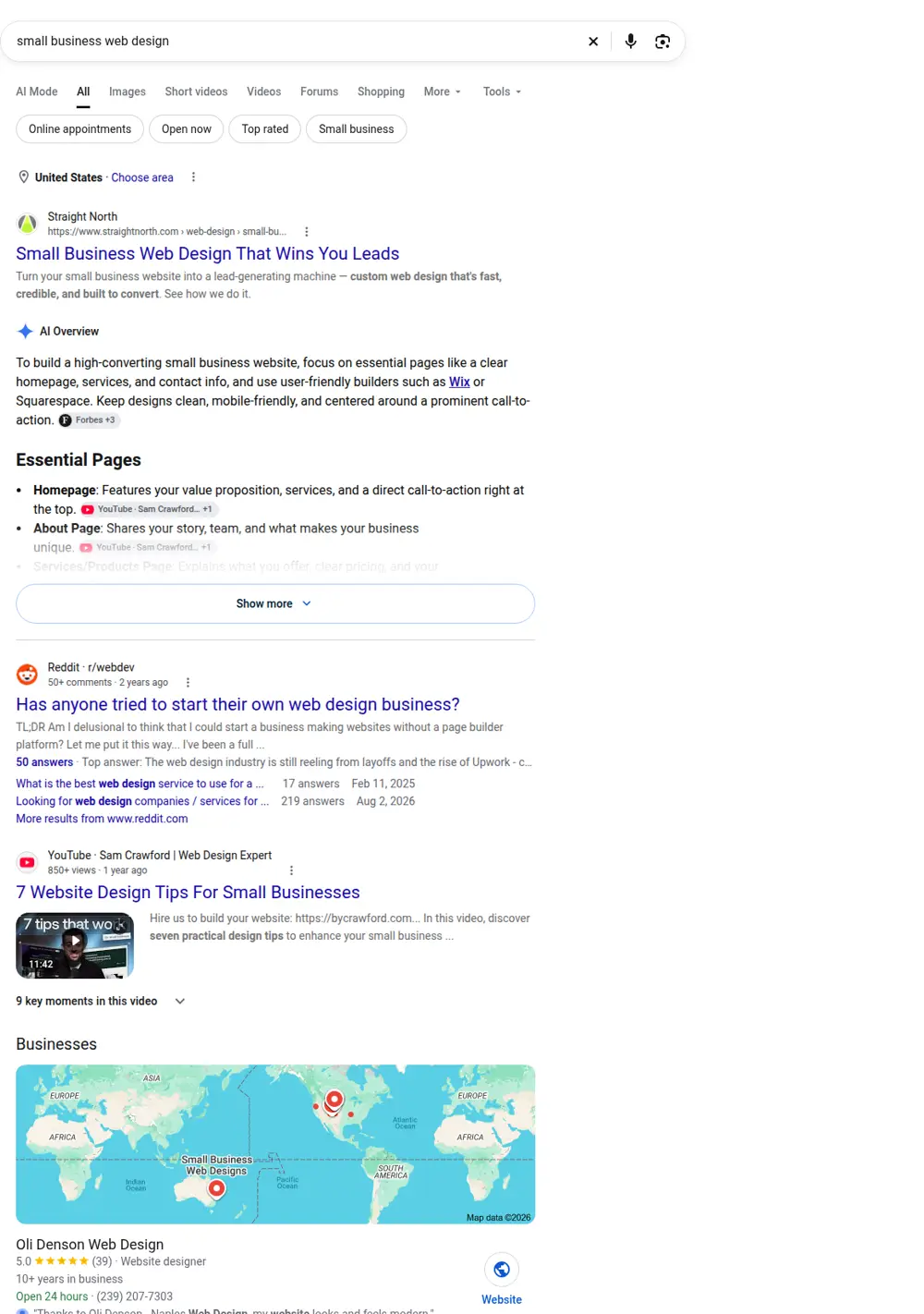
The top results mix "best agency" lists, a builder's sales page and design tips articles. This page focuses on what actually matters for a local service business: which pages to build, what to put on them and how to choose who builds them.
The pages most small business websites need
Page count isn't about looking big. Each page is a chance to match a specific search. Here's the structure we use as a starting point.
Home page
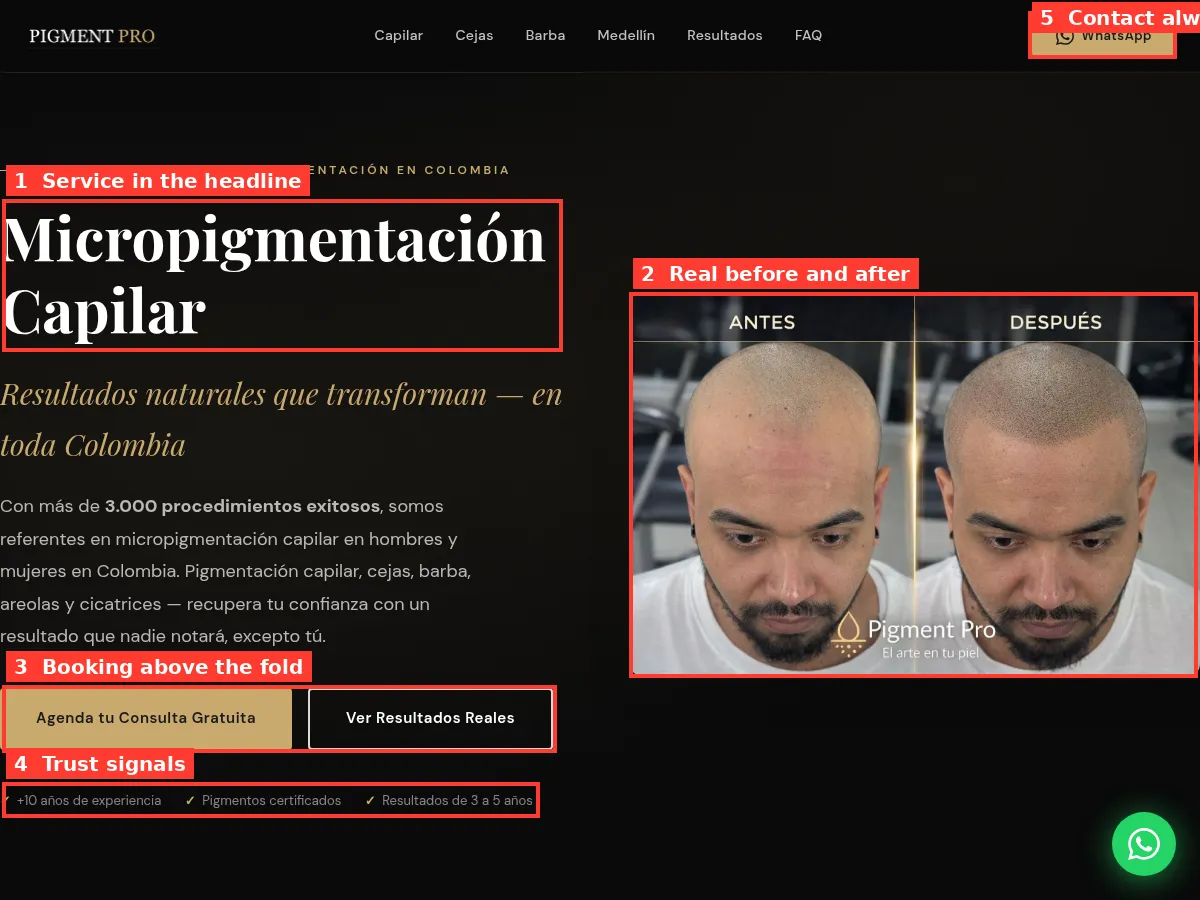
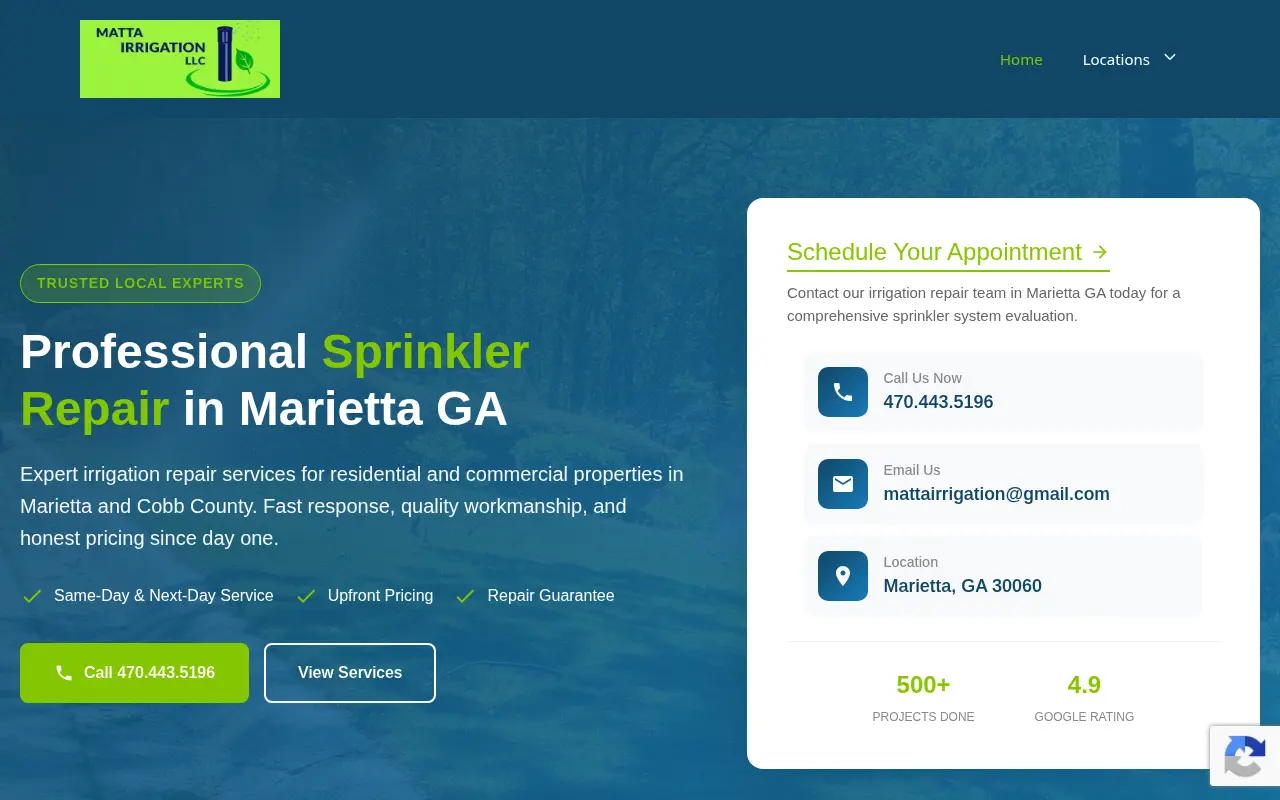
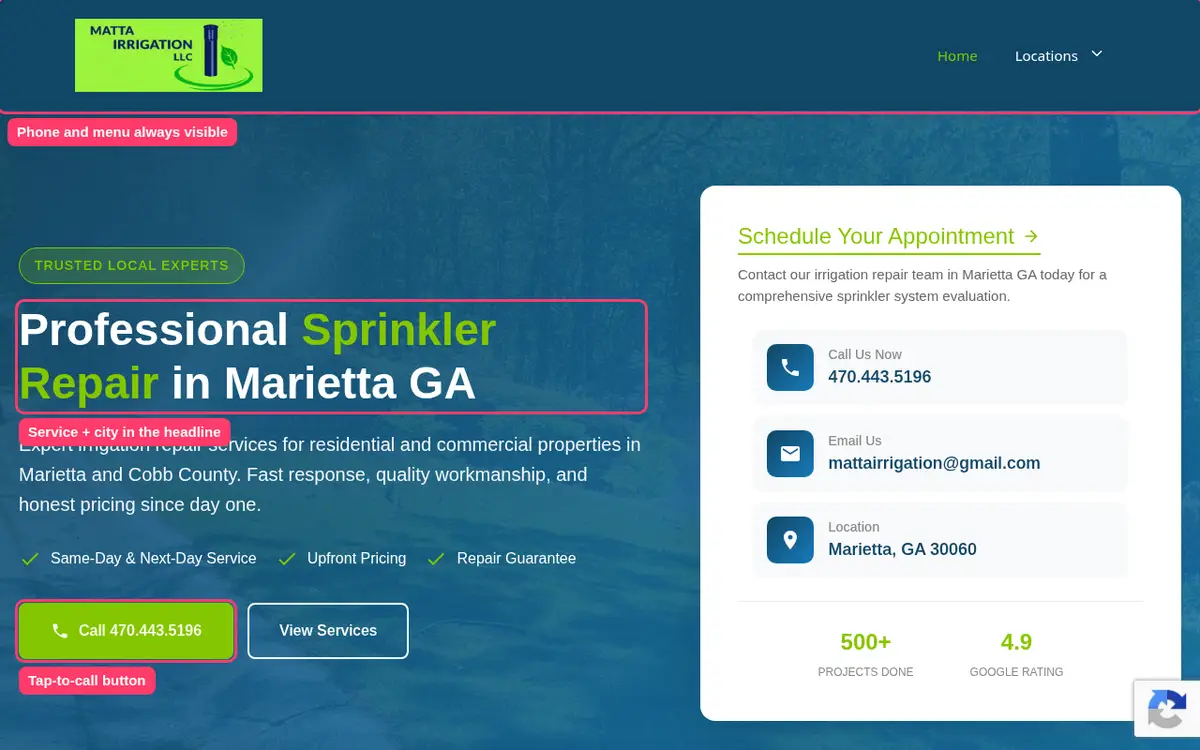
The home page tells visitors in a few seconds what you do, where, and how to reach you. Put your main service and area in the headline, your phone number at the top and one clear button, like "Get a quote" or "Book now". Add proof: reviews, licenses, years in business, photos of real work.
One page per main service
This is where most small business sites fall short. If you're an electrician, "panel upgrades", "EV charger installation" and "lighting repair" are separate searches. Each deserves a page that explains the service, what it includes, roughly what it costs and how to book. A single "Services" page with a list of bullet points rarely ranks for any of them.
Area pages, where they make sense
If people search for your service in nearby towns and you actually work there, give each town its own page. Write something specific about each one: the neighborhoods you cover, local rules, common jobs. Don't copy the same page and swap the city name. Google sees through that, and so do customers.
About page
People want to know who they're hiring. Use real names and real photos. Explain your experience, licenses and insurance, and why you started the business.
Contact page
Phone, email, a short form, your hours and your service area. If you have a physical location, add a map and directions.
Optional pages
A gallery of finished work, a FAQ page, a pricing page, a reviews page or a blog. Add these when you have real content for them, not just to fill the menu.
Features that matter (and ones that don't)
Worth having
- Tap-to-call phone number at the top of every page on mobile.
- Fast loading. Compress images, avoid heavy sliders and auto-play video.
- Clear pricing or price ranges where your business allows it. People are more likely to call when they have a rough idea of cost.
- Reviews from real customers, with names, ideally linked to your Google profile.
- Online booking if your business runs on appointments, like salons, clinics and consultants.
- Basic SEO setup: page titles, descriptions, headings that match real searches and a sitemap.
- Google Business Profile connected and consistent with your site.
- Accessibility basics: readable text sizes, good contrast and descriptive image alt text.
Usually not worth paying for
- Animations and parallax effects. They slow pages down and rarely help.
- Chatbots on a five-page site. A phone number and a form do the job.
- Stock photo galleries. They make you look like everyone else.
- Custom illustrations before you have the basic pages in place.
DIY vs hiring a small business web designer
You can build your own site with a builder, hire a freelancer, use an agency or work with a fixed-price team. Here's how they compare for a typical small local business.
| Option | Upfront cost | Your time | Best for |
|---|---|---|---|
| Build it yourself | $0 to a few hundred | High, often 20 to 40 hours | Owners who enjoy it and have time |
| Freelancer | Typically $1,000 to $5,000 | Medium | Businesses with a clear brief |
| Agency | Typically $5,000 to $30,000 | Medium to high | Larger businesses with complex needs |
| Fixed-price small team | $299 to $630 with us | Low | Local service businesses that want it done |
If you're weighing the DIY route, our cheap website builder guide compares plan prices and limits. If budget is the main question, our small business website cost page breaks down what small business sites cost at every level.
How to choose a web design company for your small business
Whether you find them through a search for "small business web design near me", a referral or a list of the best web design companies for small business, check the same things.
- Look at sites they built for businesses like yours. Open them on your phone. Are they fast? Is the phone number easy to find?
- Ask how they decide which pages to build. A good answer mentions real searches in your area. A weak answer is "home, about, services, contact".
- Ask who writes the content. If it's you, plan for the time.
- Get the full price in writing. Including hosting, domain, email and any monthly fees.
- Check ownership. The domain should be in your name, and you should be able to take the site with you.
- Ask about timelines. A small site shouldn't take months.
- Ask what happens after launch. Who updates hours or prices? What does it cost?
Web page design for small business: anatomy of a service page
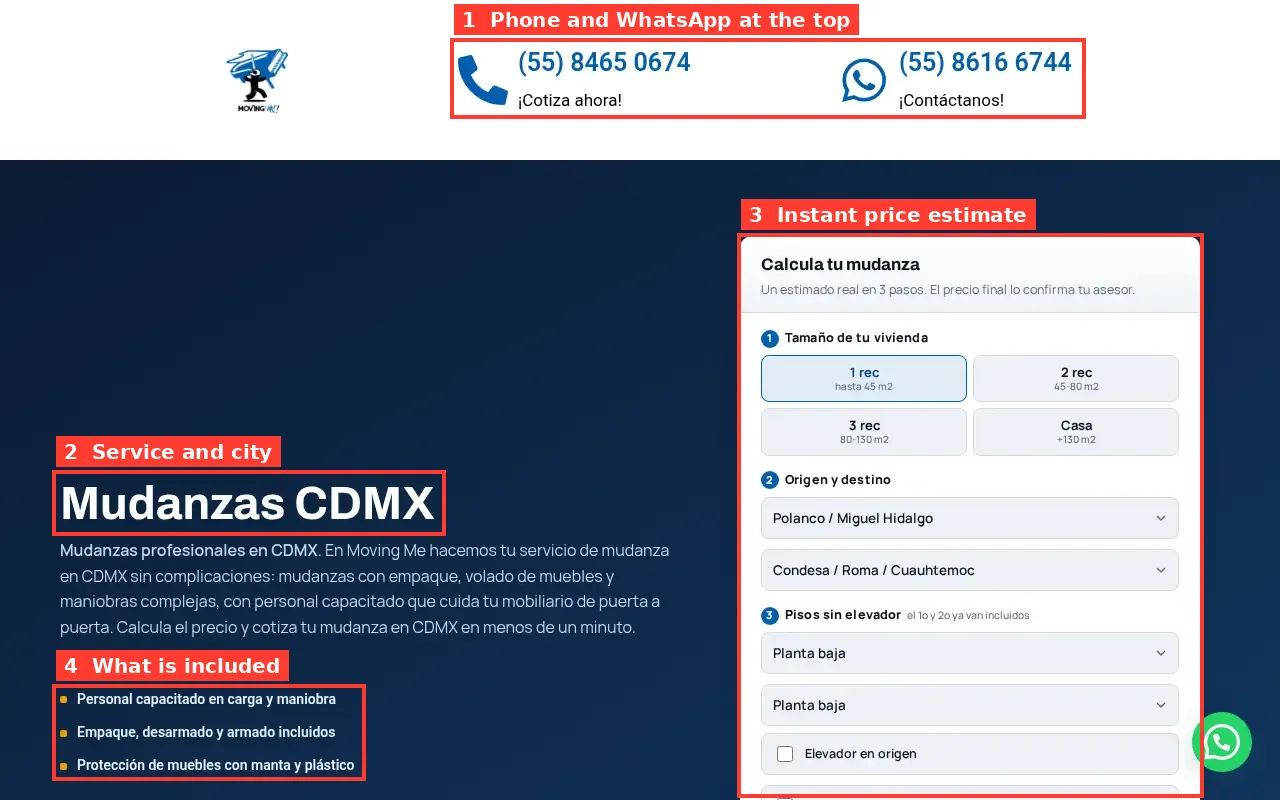
Service pages bring in most of the search traffic on a small business site, so it pays to get them right. A strong service page usually has:
- A headline with the service and the area, like "Water heater repair in Mesa".
- A short opening that says what you do, who it's for and how fast you can help.
- What's included, in a short list. People skim.
- Rough pricing or what affects the price. Even a range helps people decide to call.
- Proof: a photo of a real job, a review that mentions this service, a license number where it applies.
- Common questions about this specific service, answered in plain language.
- A clear next step: a call button and a short form, repeated at the bottom.
Keep it focused on one service. If you find yourself writing about three different things, that's three pages.
Small business web design and hosting
Every website needs hosting, a domain and usually email. Here's what they typically cost for a small site:
| Item | Typical cost |
|---|---|
| Hosting | A few dollars to about $30 a month |
| Domain | About $10 to $20 a year |
| Email on your domain | About $6 per person per month |
Some designers bundle these into one monthly fee. That's convenient, but ask for the breakdown so you know what you'd pay if you moved. Make sure the domain is registered in your name, whoever manages it.
Common small business website mistakes
These are the problems we see most often when we look at existing small business sites:
- No phone number at the top, or a number that can't be tapped on a phone.
- One page for all services, so none of them rank.
- No mention of the area served outside the footer.
- Old information: wrong hours, old prices, staff who left years ago.
- Slow pages from huge images or heavy plugins.
- Stock photos where real photos would build trust.
- A contact form that goes nowhere, because nobody checks the inbox it sends to.
Fixing these doesn't need a new site. But if most of them apply to yours, a rebuild with the right page structure is often quicker than patching.
Small business web design packages
Many designers sell packages: basic, standard and premium. Packages make pricing easier to understand, but they can also push you into paying for things you don't need or leave out the pages you do.
When you compare small business web design packages, look past the tier names and check:
- How many pages are included, and which ones.
- Whether the text is written for you.
- Whether SEO setup is included or sold as a monthly extra.
- What the monthly fees are after launch.
Our own approach is closer to a custom package priced by page count. The calculator checks how many people search for each of your services in your area, plans a page for each search group worth targeting and shows the price. For more on how packages are usually structured, see our website design packages guide.
Small business web design templates
Templates are a fine starting point. Most small business sites today, including many expensive ones, start from a template or a theme. The difference is what goes on top.
A template gives you layout and style. It doesn't give you:
- Pages for your specific services and areas.
- Text that explains what you do in the words your customers use.
- Photos of your real work and team.
- Local SEO setup.
If you use a template, spend your effort on those four things. They matter far more than which template you picked.
Web design tips for small business owners
A few things we've learned from building sites for local businesses:
- Write like you talk to customers. "We fix leaking water heaters, usually the same day" beats "We provide comprehensive water heating solutions".
- Show prices or ranges if you can. Even "Most repairs cost $150 to $400" helps people decide to call.
- Put your service area everywhere it fits. In headlines, on service pages and in your footer.
- Use real photos. A phone photo of your van, your team or a finished job is more convincing than any stock image.
- Keep forms short. Name, phone, what they need. Nothing more.
- Update the site when things change. Wrong hours or an old phone number cost you calls and trust.
- Check it on your own phone every few months. Most of your visitors will see it that way.
A realistic timeline for a small business website
How long a site takes depends mostly on how quickly the content comes together. A rough guide for a ten-page local business site:
| Stage | Doing it yourself | Freelancer or agency | With us |
|---|---|---|---|
| Planning pages | A few hours of research | A meeting or two | The calculator, in minutes |
| Writing | Several evenings | One to three weeks | Included |
| Design and build | A weekend or more | Two to six weeks | Included |
| Review and changes | Ongoing | One to two weeks | A few days |
| Total | Depends on your schedule | Often four to ten weeks | About one to two weeks |
The slowest step is almost always waiting for photos, service details and approvals. Gather them before you start, whoever builds the site.
What we build for small businesses
We're Julián Durango, Luisa Salazar and Efraín Zea, a team of three. We build sites for local service businesses in the US: trades, clinics, salons, restaurants and professional services.
Here's how it works:
- You run the calculator. Pick your business and city. You see real monthly searches, the pages they support and your price.
- One of us reviews your plan. We check your request, your current site if you have one and who ranks near you.
- We write and build. You get a draft to review and we change what you don't like.
- You go live. We set up page titles, a sitemap and your Google Business Profile.
The price is $299 for the home, about and contact pages, plus $15 for each extra page, never more than $630. Most sites go live in about one to two weeks after we get your details and photos.
Affordable web design for small business: what's realistic
Affordable doesn't have to mean bad. A small, focused site with ten well-written pages will usually do more for a local business than an expensive site with five generic ones. The things that make a site work, like the right pages, clear text and basic SEO, aren't expensive. They just take care.
Where small businesses overspend:
- Paying for custom design before the basic pages exist.
- Monthly SEO retainers on a site with too few pages to rank.
- Features nobody uses, like chat widgets or complex animations.
Where they underspend:
- Writing. Generic text is the most common reason small business sites don't bring calls.
- Service and area pages. Too few pages means too few ways to be found.
- Photos. Real photos build trust faster than anything else on the page.
If cost is your main concern, our cheap web design page explains what a low-cost site should include and the traps to avoid.